 11
11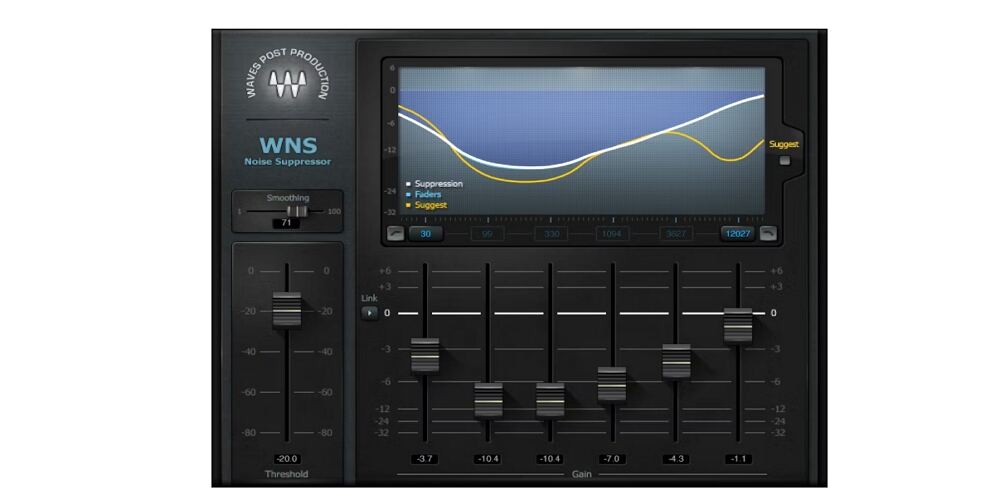
Noise is one of the most stubborn problems in modern music production. Whether you are cleaning up a sampled vinyl record, taming the hiss from an analog synthesizer, rescuing a vocal recorded in a noisy bedroom studio, or processing stems from a remote collaborator, the wrong approach can introduce artifacts that are worse than the original problem. The right noise reduction plugin removes what needs to go while leaving your signal completely intact.
This guide covers the 8 best noise reduction plugins available to music producers right now, with a focus on real-world beatmaking and home studio workflows rather than broadcast or post-production. You will find AI-powered tools that require zero configuration, spectral processors that handle vinyl samples and hardware synth hiss, and everything in between. After the reviews, there is a technical breakdown of how each type of noise reduction actually works, plus a buying guide to help you choose the right tool for your specific setup.
| Plugin | Developer | Technology | Latency | Formats | Apple Silicon | Best For | Skill Level |
| iZotope RX 11 | iZotope | Spectral + ML hybrid | Variable* | VST3/AU/AAX/ARA | Native | Everything — samples, vocals, instruments | Intermediate–Advanced |
| Waves Clarity Vx Pro | Waves Audio | AI neural network | Low | VST2/VST3/AU/AAX | Native (V14+) | Vocal/vocal chain noise reduction | Beginner–Intermediate |
| Klevgrand Brusfri | Klevgrand | Multi-band expander/gate | Minimal | VST/VST3/AU/AAX | Native | Hiss, hum — samples, stems, hardware synths | Beginner |
| Acon Digital Extract:Dialogue 2 | Acon Digital | AI deep learning | Low | VST2/VST3/AU/AAX | Native | Vocal cleanup + stem separation | Beginner–Intermediate |
| Accentize dxRevive Pro | Accentize | AI deep learning | Moderate | VST3/AU/AAX | Native | Speech/vocal restoration + frequency rebuild | Intermediate–Advanced |
| Supertone Clear | Supertone | AI source separation | Low-moderate | VST/VST3/AU/AAX | Native | Vocal de-noise, de-reverb, ambience extraction | Beginner |
| Waves WNS Noise Suppressor | Waves Audio | Multiband gate/dynamic EQ | Zero | VST3/AU/AAX/SG | Native | Instrument noise floor, monitoring during tracking | Beginner–Intermediate |
| CrumplePop AudioDenoise AI | Boris FX | AI neural network | Low | VST3/AU/AAX | Native | Quick vocal fixes, content creator workflow | Beginner |
* iZotope RX 11 Voice De-noise operates at zero latency. The Spectral De-noise module introduces variable latency depending on FFT window size and quality setting.
| Developer | iZotope (Native Instruments) |
| Technology | Spectral analysis + machine learning hybrid |
| Formats | VST3, AU, AAX, ARA (all 64-bit) — no VST2 |
| OS | macOS Ventura–Tahoe, Windows 10 22H2+, Apple Silicon native (M1–M4) |
| Real-time | Voice De-noise: zero latency | Spectral De-noise: low-to-moderate latency |
| Version | RX 11 (v11.4.0, February 2026) |
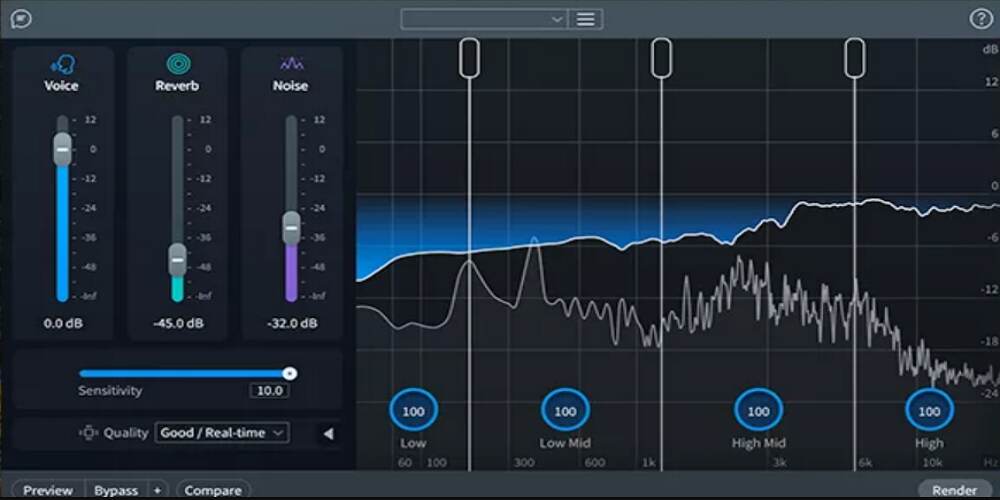
iZotope RX is the undisputed industry standard in audio repair and noise reduction. It holds two Engineering Emmy Awards and an Academy Scientific and Engineering Award — and for good reason. No other tool on this list comes close to matching its range. For music producers specifically, RX 11 is not just a noise reducer: it is a complete audio repair toolkit that addresses every audio problem you are likely to encounter in a production workflow.
The two noise reduction tools inside RX 11 serve different purposes. The Voice De-noise module is zero-latency and drops directly onto vocal chains for real-time processing during mixing. The Spectral De-noise module is where the real power lies for producers working with samples: you capture a noise profile from a gap in a vinyl recording, and the plugin removes that exact noise signature from the whole file without touching your drums, bass, or melodic content.
Beyond noise reduction, the suite includes tools that are genuinely essential for sample-based production. De-click and De-crackle remove the pops and surface noise from vinyl samples before you even get to the denoising step. Music Rebalance separates vocals, bass, drums, and other instruments from mixed recordings — invaluable when you need to pull a vocal from a sample. The Spectral Editor lets you paint over individual sounds in a frequency-time display, surgically removing a specific squeak, a passing car horn, or a rogue click without touching anything else in the recording. Batch processing via Module Chain means you can run the same cleanup chain across an entire sample library overnight.
RX 11 v11.4.0 (February 2026) brought stability improvements, macOS Tahoe certification, and expanded DAW compatibility including Logic Pro 12, FL Studio 25, and Pro Tools 2025.
iZotope RX is expensive, and the learning curve for the full suite is real. The Spectral De-noise module introduces latency — this is not a problem for offline or rendered work, but it prevents real-time use on instrument tracks during playback. For quick, one-knob noise reduction on vocals, there are simpler options. RX is the right choice when accuracy, flexibility, and professional-grade results matter more than convenience.
| Developer | Waves Audio |
| Technology | AI / Waves Neural Networks (trained on millions of voice files) |
| Formats | VST2, VST3, AU, AAX — all 64-bit |
| OS | macOS 13+, Windows 10 22H2+, Apple Silicon native (V14+) |
| Real-time | Yes — fully real-time and fully automatable |
| Version | V16 (current Waves platform, 2025–2026) |
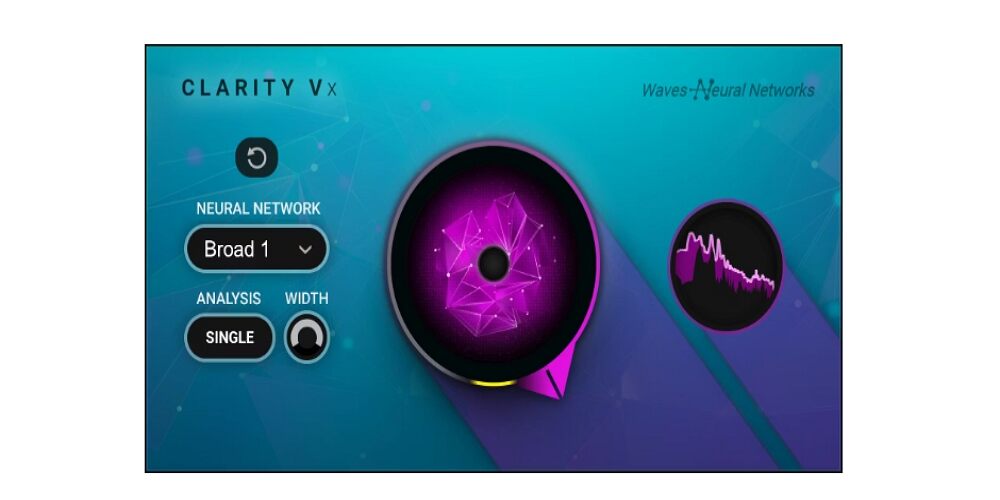
Waves Clarity Vx Pro is one of the most capable AI-powered vocal denoisers on the market. It requires no noise profiling, no setup, and no complex routing — you load it on a vocal track, and its neural network immediately begins separating your singer’s voice from whatever noise surrounds it. Fans, street noise, room tone, HVAC, background conversation — Clarity Vx Pro handles all of it in real time without interrupting your workflow.
The simple single-knob version is available as the more affordable Clarity Vx, but the Pro version adds a six-band multiband processing view that gives you surgical control over exactly which frequencies are being treated. Each band has independent processing amount, a delta monitor (so you can hear precisely what is being removed), solo, bypass, and gain controls. If the low end is clean but the upper mids are carrying fan noise, you can target that range specifically without touching anything else.
The plugin is fully automatable, which opens up a workflow that most vocal denoisers cannot match: you can draw automation to increase noise reduction intensity during exposed passages (spoken intros, quiet falsetto sections) while pulling it back during loud, dense choruses where artifacts would be more audible.
V14 (2024) added the six-band architecture, a built-in peak limiter, and native Apple Silicon support. V15 and V16 (2025–2026) brought OS compatibility updates.
Clarity Vx Pro is voice-trained, which means it can produce artifacts on non-vocal material — do not reach for this to clean up a hardware synth or a guitar amp. It is also CPU-intensive, particularly at lower buffer sizes. On Apple Silicon machines this is largely a non-issue, but older Intel systems running multiple instances may run into trouble. The Waves licensing model — which has historically required an annual Update Plan for continued access to new versions — is worth factoring into your total cost of ownership.
| Developer | Klevgrand (Klevgränd Produktion AB, Sweden) |
| Technology | Multi-band spectral expander/gate — no AI, no phase manipulation |
| Formats | VST, VST3, AU, AAX, AUv3 (iOS) |
| OS | macOS 10.10+, Windows 7 SP1+, Apple Silicon native, iOS 9.1+ |
| Real-time | Yes — minimal latency (slight increase with lookahead enabled) |
| Version | 1.2.2 (current) |
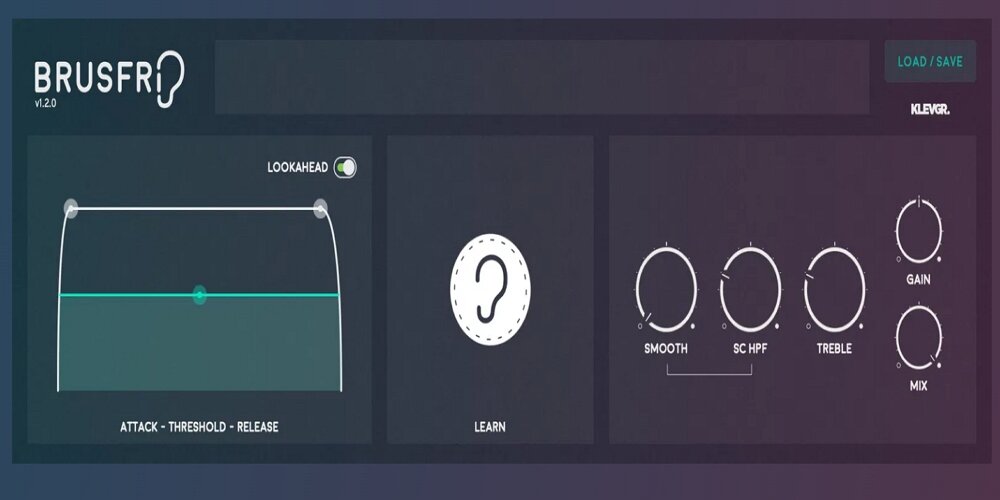
Brusfri takes a different approach to noise reduction from every other plugin on this list. Instead of AI models, spectral subtraction, or gating by amplitude, it uses a bank of frequency-tuned expanders that each operate within a narrow band of the spectrum. The result is a plugin that removes steady-state noise — hiss, hum, buzz — without touching the phase or harmonic structure of the original recording. That matters enormously for music production, where phase relationships between layered tracks and the tonal character of instruments are both critical.
The setup is fast: hold the Learn button while playing a section of audio that contains only noise — a gap between drum hits, the tail of a fading sample, a silent section before the music starts. Brusfri captures the noise signature across frequency bands and uses that as its reference for the entire track. From there, the Threshold, Attack, Release, and Smooth controls let you dial in exactly how aggressively the expanders react.
The Mix knob is genuinely useful in music production contexts: rather than applying full noise reduction, blending in some of the unprocessed signal retains the natural noise floor that makes vinyl samples sound authentic. A fully denoise sample can sound sterile and lifeless in a hip-hop or lo-fi context; Brusfri lets you find exactly the right balance.
Brusfri is the practical choice for cleaning hardware synth recordings. Analog synthesizers carry inherent thermal noise and VCA hiss that accumulates when you stack multiple synth tracks. Dropping Brusfri on each synth stem, capturing the noise profile from the tail of a sustained note, and applying subtle reduction across the board keeps the noise floor clean without squashing the life out of the sound. The zero-phase-manipulation approach ensures that multiple instances do not create phase problems on your bus mix.
It is equally effective on sampled recordings: vinyl surface noise, tape hiss, and background hum from old recordings all fall cleanly under Brusfri’s expanders with minimal artifact.
| Developer | Acon Digital AS (Norway) |
| Technology | AI deep learning — next-generation neural network models |
| Formats | VST2, VST3, AU, AAX — all 64-bit |
| OS | macOS 10.13+, Windows 7+, Apple Silicon native |
| Real-time | Yes — low latency |
| Version | 2.x (released December 3, 2025) |
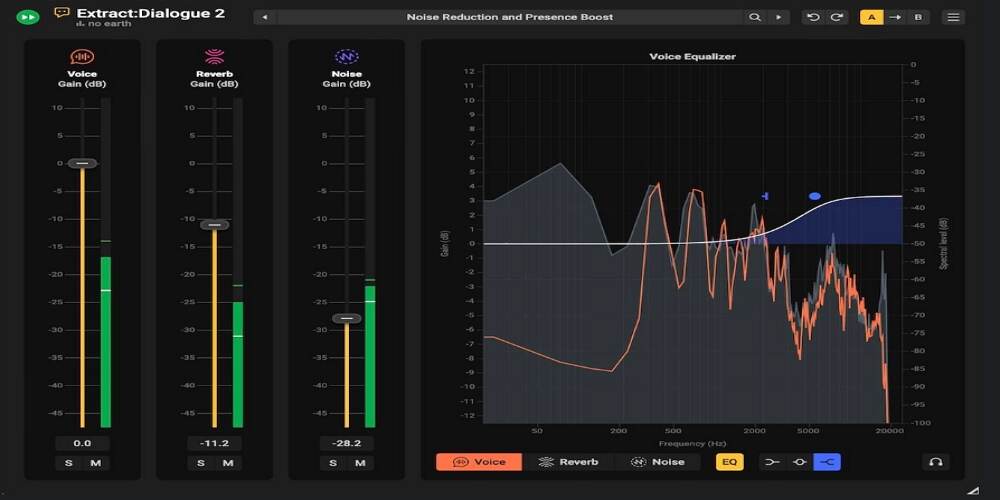
Acon Digital released Extract:Dialogue 2 in December 2025 and it immediately won Production Expert Software Product of the Year for 2025. The upgrade from version 1 was significant: a completely new neural network model, reverb reduction alongside noise reduction, per-stem EQ shaping, Mid/Side processing for stereo material, and multi-output routing that lets you send the separated voice, reverb, and noise stems to different DAW tracks. At its price point, no other plugin delivers this feature set.
Where most noise reduction plugins output a single cleaned signal, Extract:Dialogue 2 separates your audio into three independent components: Voice, Reverb, and Noise. You can rebalance these components with independent volume sliders and mute each stem individually. In supported DAWs, multi-output routing sends each stem to a separate track — which opens up creative possibilities beyond simple cleanup.
The per-stem EQ is a genuine differentiator: rather than applying EQ to the combined output and affecting both the cleaned voice and any residual ambience, you can shape the voice component independently. If the cleaned voice sounds thin after processing, you can add warmth directly to the Voice stem without reintroducing noise.
The Mid/Side mode processes the center and side channels of a stereo recording independently, which is valuable when cleaning up stereo recordings where noise sits predominantly in the sides (a common characteristic of room ambience). Processing the sides more aggressively than the center preserves the stereo width of the source while more effectively targeting the noise.
Grammy-nominated producer Greg Wurth (Moana 2) and Emmy-winning mixer David Redding III (The Queen’s Gambit) have both used the plugin on major productions.
| Developer | Accentize (founded by Benjamin Graf) |
| Technology | AI deep learning — trained on a custom global speech database |
| Formats | VST3, AU, AAX |
| OS | macOS 10.12+, Windows 7+, Apple Silicon native |
| Real-time | Yes — CPU-intensive; offline rendering recommended for large projects |
| Version | 1.2.8 (current) |
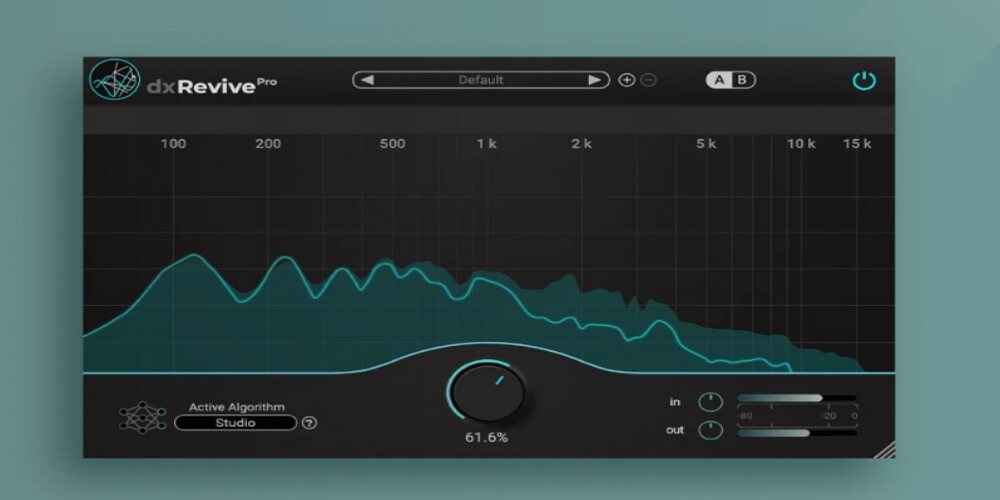
Most noise reduction tools are subtractive: they remove noise from a recording. Accentize dxRevive Pro does something different. It uses machine learning to analyze your audio and then reconstruct missing frequency components through spectral resynthesis — actively rebuilding the signal rather than just removing what should not be there. That distinction matters enormously when you are working with vocalists who recorded through a cheap USB microphone, sent audio over a compressed video call, or tracked in a space with significant acoustic problems.
dxRevive Pro ships with six processing algorithm modes, each suited to different material. Studio and Studio 3 target maximum clarity and polish. Natural and Natural 2 preserve more of the original recording character while still cleaning up problem frequencies. EQ Restore — added in version 1.2.0 — is particularly interesting: it applies corrective equalization only to the voice component of the signal, leaving any background ambience completely untouched. Retain Character strikes a middle ground, cleaning the recording without stripping the idiosyncratic qualities that make a voice distinctive.
The Spectral Focus mode splits processing across up to four independent frequency bands. If the low end is fine but the upper midrange is carrying codec distortion, you can direct the AI’s attention at that range without touching frequencies that do not need work.
Version 1.2.0 (2024) added three new algorithms, and the plugin has seen active development ever since. It processes entirely locally with no cloud upload — a relevant consideration for artists who are protective of unreleased material.
Rik Simpson — known for his work with Coldplay, Jay-Z, and Portishead — uses dxRevive Pro to clean vocal spill from live stage recordings. The plugin is capable of transforming audio that would previously have been unusable.
| Developer | Supertone Inc. (Seoul, South Korea) |
| Technology | AI source separation — neural network isolates Voice, Ambience, and Reverb |
| Formats | VST, VST3, AU, AAX |
| OS | macOS 10.13+, Windows 10+ (64-bit), Apple Silicon native (M1/M2/M3) |
| Real-time | Yes — recommended buffer size 256+; supports 44.1, 48, 96 kHz |
| Version | Current — no public version numbering |
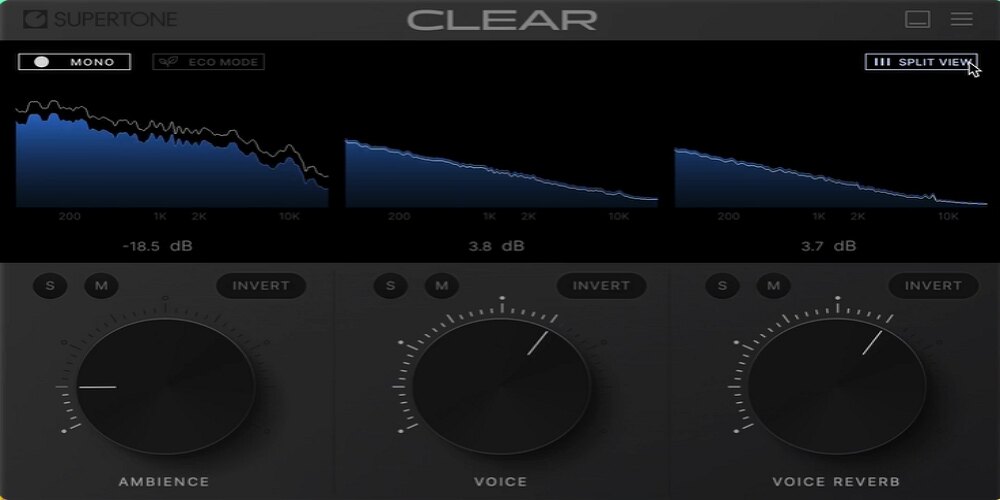
Supertone Clear works differently from every other noise reduction plugin on this list. Rather than identifying noise and subtracting it from a recording, it uses a source separation model that asks a fundamentally different question: what is the voice? The neural network isolates three distinct audio components — Voice, Ambience (background noise and room tone), and Voice Reverb — and presents them as separate, remixable elements controlled by three knobs.
The interface could not be simpler: three knobs, each controlling the level of one separated component in the output mix. Pull the Ambience knob down to reduce background noise. Pull the Voice Reverb knob down to remove room reflections. Pull the Ambience knob all the way down while boosting Voice and you have clean, dry, close-miked-sounding audio from a recording made in a reverberant space.
Flip the approach entirely with De-Voice mode — a feature that inverts the process and removes the voice, leaving only the separated background ambience. For beatmakers and sound designers, this opens up sampling possibilities that previously required hours of spectral editing. Extract the room tone from a live recording. Separate a crowd atmosphere from a vocal. Pull the ambient texture from a sampled recording and use it as a pad layer.
The beta version of this plugin (released under the name GOYO) had catastrophically high CPU usage — over 100% on some machines. Supertone Clear addressed this in the commercial release with a Low CPU mode that reduces processing load significantly, making it practical to run multiple instances in a session.
| Developer | Waves Audio |
| Technology | Multiband gate/dynamic EQ — no AI or machine learning |
| Formats | VST3, AU, AAX, SoundGrid |
| OS | macOS 12–15, Windows 10 22H2+, Apple Silicon native |
| Real-time | Yes — zero latency |
| Version | Part of Waves V16 platform (2025–2026) |
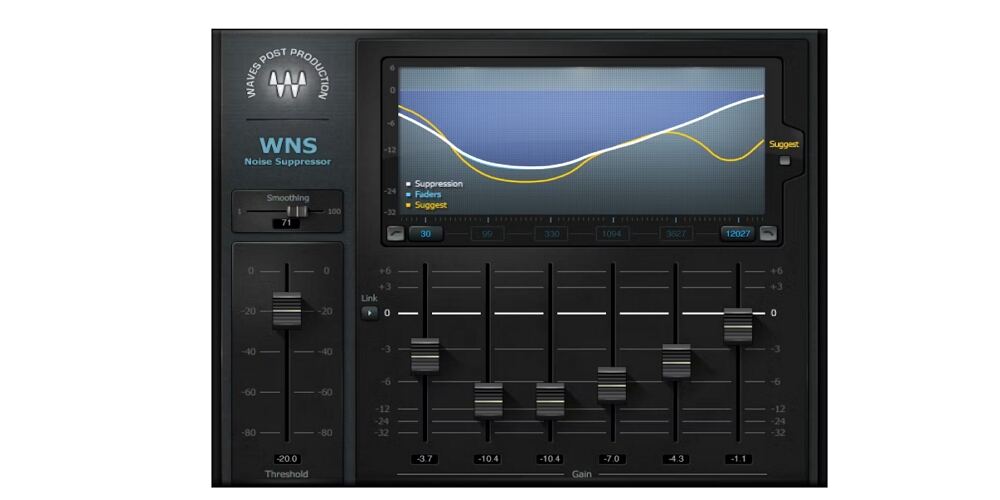
Waves WNS is the oldest plugin on this list by design philosophy, but its combination of zero latency and genuine instrument compatibility fills a gap that the newer AI tools cannot. The six-band architecture works like a dynamic equalizer: each band monitors the incoming signal and attenuates audio that falls below a per-band threshold. Unlike the voice-trained neural networks in Clarity Vx Pro and Supertone Clear, WNS makes no assumptions about the nature of the audio passing through it. It works just as well on a guitar amp track as it does on a vocal.
This is WNS’s decisive advantage for recording workflows. AI-powered plugins — even fast ones — introduce latency that makes them impractical for monitoring during a take. WNS introduces zero latency, which means you can activate it on a track, hit record, and have the singer or musician monitor a cleaned-up version of their signal through headphones in real time. No rethinking of buffer settings, no extra latency compensation, no compromise.
The Suggest button analyzes the incoming noise profile and auto-sets the six bands to a starting point, which you can then refine manually. The large frequency display makes it easy to see where noise energy is concentrated and adjust accordingly.
For complex noise environments — changing room tone, intermittent sounds, non-stationary noise — WNS does not perform as well as modern AI tools. It can produce pumping artifacts at aggressive settings, particularly when the signal-to-noise ratio is poor. It has not received significant feature updates in several years, which reflects the broader market movement toward AI-based solutions. But for its specific purpose — low-impact, zero-latency noise floor reduction on instrument and vocal tracks — it remains effective and extremely affordable, particularly during Waves sale periods.
| Developer | Boris FX (acquired CrumplePop) |
| Technology | AI neural network — dedicated specialized models per noise type |
| Formats | VST3, AU, AAX; standalone SoundApp for batch processing |
| OS | macOS (Apple Silicon native M1–M4), Windows 10+ 64-bit |
| Real-time | Yes — low latency |
| Version | CrumplePop Pro 2025.5.3 (current) |
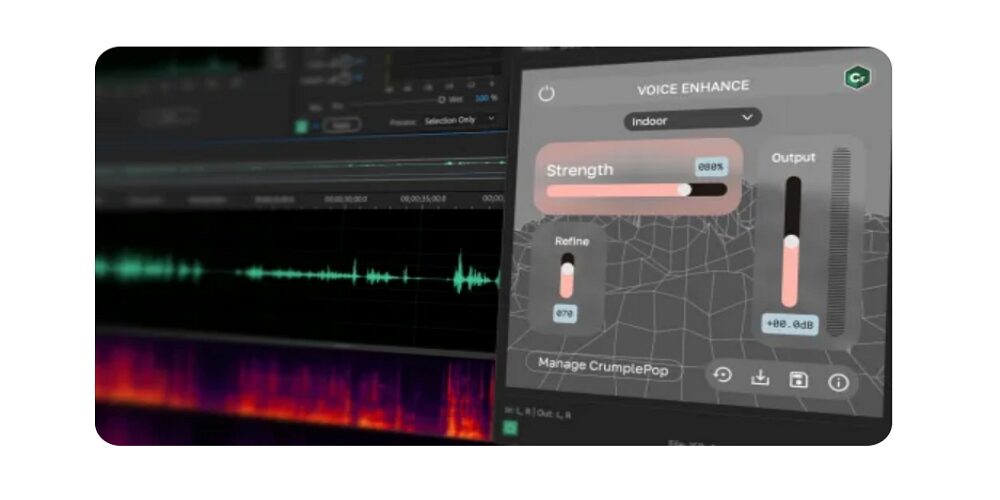
CrumplePop AudioDenoise AI is built around a different philosophy from the other plugins on this list. Rather than a single general-purpose AI model, the CrumplePop suite uses separate purpose-trained neural networks for each type of noise: one for broadband hiss, one for wind, one for traffic, one for echo, one for clipping, and so on. The idea is that a model trained exclusively on wind noise will outperform a general denoiser on wind noise — and in practice, the approach works well.
AudioDenoise AI is part of the broader CrumplePop Pro suite, which also includes EchoRemover, WindRemover (updated with an extreme outdoor model in 2025), TrafficRemover (new in 2025), ClipRemover, PopRemover, RustleRemover, Levelmatic, and the new flagship Voice Enhance module. For music producers, ClipRemover stands out: it uses AI to reconstruct clipped audio that was previously considered unrecoverable, rebuilding the overloaded waveform from surrounding data. If a vocalist’s take was inadvertently recorded too hot and clipped, ClipRemover is one of the only tools capable of salvaging it.
The SoundApp standalone application handles batch processing across entire folders of files — useful for cleaning a sample library or processing a large number of recorded takes outside of your DAW.
CrumplePop is designed primarily for content creators — YouTubers, podcasters, and video producers. Its AI models are voice-focused and are less effective on non-speech audio. The fine-tuning controls are limited: each plugin offers a Strength knob and per-band (Low/Mid/High) adjustments, but nothing approaching the surgical control of iZotope RX or the multiband architecture of Clarity Vx Pro. For music producers who need serious control over exactly what is being processed, CrumplePop will feel too simple. For producers who need a fast, no-configuration fix for a problematic vocal take, it does the job efficiently.
Understanding the technology behind your tools makes you a better engineer. There are three fundamentally different approaches to noise reduction — and each excels in different scenarios, produces different artifacts when pushed too hard, and suits different types of audio material.
Spectral denoising is the classic approach. The plugin uses Fast Fourier Transform (FFT) analysis to view your audio as a frequency spectrum — a plot of frequency versus time rather than amplitude versus time. You capture a short “fingerprint” of the noise during a passage that contains only noise (a gap between drum hits, the tail of a sample), and the plugin subtracts that spectral profile from the full recording on a per-frequency-bin basis, frame by frame throughout the entire file.
This method excels at stationary noise: tape hiss, preamp noise, vinyl surface noise, electrical hum from analog gear, and consistent fan buzz. These noise types have a stable spectral profile that remains valid across the entire recording. The approach struggles with non-stationary noise — passing traffic, intermittent sounds, changing room tone — because the noise profile becomes outdated the moment the noise character shifts.
The classic artifact is called musical noise or birdies: randomly appearing tonal fragments caused by frame-to-frame inconsistencies in the subtraction process. There is also an inherent tradeoff between frequency resolution and time resolution — larger FFT windows give more precise frequency separation but blur transients, which is why aggressive spectral denoising can make drums sound smeared. Limit your attenuation to roughly 10 dB and apply reduction in gentle passes to avoid noticeable artifacts.
Plugins using this approach: iZotope RX Spectral De-noise (the definitive implementation), Waves Z-Noise, Acon Digital DeNoise 2.
AI denoisers take a completely different approach. During development, a deep neural network is trained on millions of paired audio examples — clean recordings and noisy versions of those same recordings. The network learns to predict the clean version from the noisy input. At use time, you load the plugin and it immediately begins predicting clean audio from your noisy signal, with no noise profile required.
This approach is significantly better than spectral denoising on non-stationary noise. If the noise in your recording changes character throughout the track, an AI denoiser adapts automatically. It can also separate a human voice from complex, overlapping noise sources that would defeat any spectral subtraction approach.
The trade-off is a different artifact signature. Instead of musical noise, over-processed AI denoising produces an unnatural, sometimes described as “underwater” or “wobbly” quality, and may remove elements of the signal the model mistakes for noise. Most AI noise reduction tools are also voice-trained: they work best on speech and vocals, and may produce artifacts on instruments, drums, or polyphonic musical material. Apply AI tools with restraint, use the delta monitoring function (the “hear what is being removed” mode available in most of these plugins) to verify you are not removing wanted signal.
Plugins using this approach: Waves Clarity Vx Pro, Accentize dxRevive Pro, Supertone Clear, Acon Digital Extract:Dialogue 2, CrumplePop AudioDenoise AI.
Noise gates monitor the signal level of your track and attenuate audio that falls below a user-set threshold. When the signal is loud enough to exceed the threshold — a vocal phrase, a guitar note, a drum hit — audio passes through unaffected. When it drops below, the gate closes and audio is attenuated or silenced. Gates do not remove noise from the signal itself. During active passages, both the desired signal and the background noise pass through together. The gate only removes noise during pauses and silent sections.
This makes gates the most limited approach for most music production applications, but they remain useful for specific scenarios: cleaning up exposed drum tracks between hits, silencing guitar amp hiss between riffs, and removing room noise from vocal tracks between phrases. The key artifacts are pumping (audible steps in the noise floor as the gate opens and closes), chattering at borderline signal levels, and loss of natural decay on instruments with long release times.
For beatmakers, gates are most effective on percussive material where the signal-to-noise ratio is large and transient attack provides a clean trigger. They should not be your primary tool for continuous noise reduction on melodic or harmonic material.
The single most important factor is what kind of noise you are dealing with. Constant, stationary noise (tape hiss, preamp noise, vinyl surface noise, steady fan hum) responds best to spectral denoising tools — Brusfri and iZotope RX Spectral De-noise are purpose-built for this. Variable, non-stationary noise (changing room tone, external environmental sounds, inconsistent background activity) requires an AI-powered approach. Voice-recorded noise (microphone bleed, room reflections, background conversations) is where the dedicated vocal AI tools shine.
This is the most common mistake producers make when choosing a noise reduction plugin. The AI models in Clarity Vx Pro, Supertone Clear, dxRevive Pro, and CrumplePop are all trained on voice data. They will work well on vocal recordings. On instruments — guitar amps, synthesizers, live drums — the results are unpredictable and may degrade the sound. For instrument noise reduction, use a spectrally-aware tool (Brusfri, RX Spectral De-noise, WNS) rather than a voice-optimized AI.
If you record with artists monitoring through your DAW while you apply plugins to their signal in real time, latency from your noise reduction plugin adds to their headphone mix delay. Waves WNS and iZotope RX Voice De-noise both operate at zero latency, making them safe for live monitoring scenarios. AI tools from Clarity Vx Pro, Supertone Clear, and Acon Digital introduce small amounts of latency — check your DAW’s total round-trip latency before committing to these in a live recording setup.
Producers who work heavily with samples, vinyl records, and found sound will get more value from iZotope RX than from any other tool on this list. The combination of de-click, de-crackle, spectral denoising, Music Rebalance, and the Spectral Editor is unmatched for sample preparation work. No other plugin comes close to that breadth.
Not every noise reduction situation calls for maximum attenuation. In lo-fi hip-hop, vinyl-influenced R&B, and sample-based music generally, the noise floor is often part of the aesthetic. The crackle on a sampled record, the warmth of tape hiss, the slight buzz of an old synthesizer — these textures contribute to the vibe of the music. Use noise reduction selectively and intentionally. Clean only what is actively problematic, and preserve the organic imperfections that make the recording feel alive.
Place noise reduction before other processing — EQ, compression, saturation — whenever you are working on an individual track. Compression amplifies quiet signals, which means any noise present in the recording gets louder with each dB of compression applied. Cleaning the signal first gives every subsequent plugin better material to work with. On a mix bus, noise reduction is generally not appropriate; address noise at the source track level.
A noise gate attenuates audio that falls below a threshold — it only removes noise from silent passages, not from active audio. During a vocal phrase or guitar note, both the desired signal and the background noise pass through together. A dedicated noise reduction plugin removes noise from the signal itself throughout the entire recording, including during active passages. For music production, a noise reduction plugin almost always produces more transparent results than a gate.
Yes, to a significant extent. Tools like Waves Clarity Vx Pro, Accentize dxRevive Pro, and Acon Digital Extract:Dialogue 2 can transform a noticeably noisy vocal recording into something usable for a professional release. However, heavy processing with any of these tools introduces artifacts — typically an unnatural, processed quality that experienced listeners will notice. The best approach is to fix the recording environment: treat the room, move away from noise sources, and use a better microphone preamp. Noise reduction is a rescue tool, not a substitute for good recording practice.
Spectral noise reduction tools — iZotope RX Spectral De-noise, Klevgrand Brusfri, Waves WNS — work effectively on any audio source. Most AI-powered tools (Clarity Vx Pro, Supertone Clear, dxRevive Pro, CrumplePop AudioDenoise) are trained specifically on voice data and will perform inconsistently on instruments. For hardware synth hiss, guitar amp noise, or acoustic instrument recordings, use a spectral or multiband gate-based tool.
As a practical guideline, limiting attenuation to roughly 10 dB produces transparent results with most spectral tools. Use the delta monitoring function (available in iZotope RX, Waves Clarity Vx Pro, and Acon Digital Extract:Dialogue 2) to hear exactly what is being removed, and verify that you are not pulling out wanted signal along with the noise. The moment you hear breathiness, consonants, or musical texture in the removed signal, you have gone too far.
For producers who regularly work with samples, vinyl records, or field recordings, yes — iZotope RX is one of the most valuable investments in a music production toolkit. The combination of de-click, de-crackle, spectral denoising, Music Rebalance (stem separation from existing recordings), and the Spectral Editor covers essentially every audio repair scenario a beatmaker is likely to encounter. The Standard version covers most use cases; the Advanced version adds tools used primarily in professional audio post-production.
Zero-latency options like Waves WNS and iZotope RX Voice De-noise can be used during recording without adding perceptible delay to the headphone mix. AI-powered tools introduce variable amounts of latency — typically acceptable for offline mixing but potentially disruptive in a live monitoring context. Check your DAW’s reported plugin latency before using AI noise reduction tools during tracking sessions.
Other Related Guides: