 11
11
You have spent days dialing in the perfect mix. The kick hits hard, the vocal sits right in the pocket, and everything feels alive with dynamic energy. Then you push the limiter to hit competitive loudness, and the life drains out of your track. The transients flatten, the punch disappears, and the mix starts sounding small and choked.
If that scenario sounds painfully familiar, you are not alone. And the solution is almost certainly not pushing your limiter harder. It is reaching for the best clipper plugins.
Check Top Clipper Plugin Deals
A clipper is a dynamics tool that deals with audio peaks exceeding a set ceiling. But unlike a limiter, which acts like a super-fast volume control turning peaks down over time, a clipper simply shaves them off. It chops the top of a waveform with effectively zero attack and zero release time.
This makes clippers the ideal tool for controlling short, spiky transients (like snare hits and kick drum attacks) without affecting the body or sustain of the sound. Used correctly before your final limiter, a clipper lets you remove 1–3 dB of peak information so the limiter has far less work to do. The result is a louder master that still breathes.
Clippers come in two main flavors:
Most modern clipper plugins give you a variable control between hard and soft clipping, along with advanced features like oversampling (to prevent aliasing artifacts), multiband processing, and mid/side control. The best ones give you all of this while sounding transparent or adding exactly the character you want.
The key distinction comes down to how each tool handles peaks. A limiter has an attack and release time, which means it attenuates audio over a period. When a loud transient hits, the limiter turns the volume down and then gradually turns it back up. This time-based behavior can pull down surrounding audio alongside the peak, which is why aggressive limiting makes mixes sound squashed and lifeless.
A clipper, by contrast, operates on a per-sample basis. It only affects the exact samples that exceed the ceiling, leaving everything else completely untouched. There is no attack, no release, and no gain reduction that bleeds into neighboring audio. This is why clipping preserves punch so much better than limiting for the same amount of peak reduction.
The standard professional workflow is to use a clipper before your final limiter. The clipper handles the tallest, spikiest peaks that would otherwise force the limiter to work too hard, while the limiter handles the remaining dynamics for a polished, commercially loud result.
Below is a side-by-side snapshot of every plugin covered in this guide. Use it to quickly narrow your shortlist before reading the detailed breakdowns.
Check the Top Clipper Plugin Collections
| Plugin | Price | Max OS | Multi | M/S | Modes | LUFS | Best For |
| StandardCLIP | $25 | 256x | — | — | 3 | — | Transparent mastering |
| KClip 3 | $39.99 | 32x | ✓ | ✓ | 8 | ✓ | Versatile all-rounder |
| Gold Clip | $249 | Tiered | — | — | 3+ | — | Premium mastering character |
| Saturate | $49 | ADAA | Spectral | — | Var. | — | Intelligent saturation |
| bx_clipper | $39.99 | 32x | — | ✓ | 2 | — | Stereo field control |
| Softube Clipper | $79 | 4x | — | — | 2-stg | — | Dual-stage creative |
| V-Clip 2 | $60 | 512x | ✓ | ✓ | 8+ | ✓ | Maximum configurability |
| Big Clipper 2 | $59 | Yes | Freq. | ✓ | Hybrid | — | Creative tone-shaping |
| Kilohearts | FREE | None | — | — | 1 | — | Simple peak trimming |
| Developer: SIR Audio Tools
Price: $25 |
Formats: VST2, VST3, AU, AAX
Best For: Clean, transparent peak control |
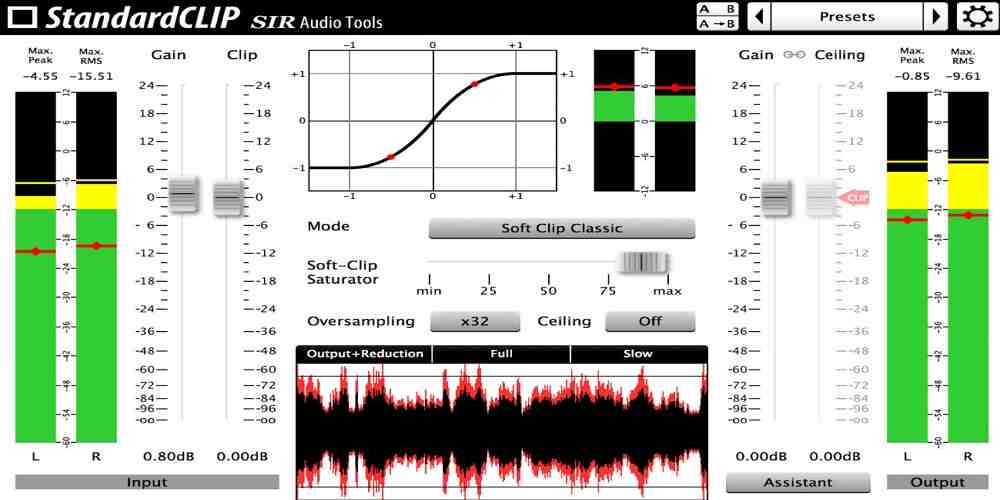
If there is one clipper that comes closest to being an industry standard, StandardCLIP is it. At just $25, it offers an almost absurd amount of value for anyone serious about loudness and dynamics.
Its strength lies in doing one thing exceptionally well: providing clean, artifact-free clipping. The three clipping modes cover most professional needs. Hard Clip delivers brick-wall peak removal with zero coloration. Soft Clip Classic offers smooth, musical saturation. And Soft Clip Pro compresses a user-defined dynamic range by half, a mode widely regarded as emulating the saturation characteristics of high-end Lavry mastering converters.
What truly sets StandardCLIP apart is the depth of its oversampling engine. With up to 256x oversampling available in both linear-phase and minimum-phase modes, it provides meticulous control over anti-aliasing quality. Linear-phase mode is ideal for mastering where phase coherence matters, while minimum-phase mode keeps latency low for tracking and mixing. A built-in Output Gain Assistant automatically finds the optimal headroom setting to prevent oversampling overshoot.
The interface is utilitarian and lacks the visual feedback that modern competitors provide, such as draggable thresholds on waveform displays. There is no multiband processing, no mid/side control, and no built-in LUFS metering. If you need those features, you will want to pair StandardCLIP with other tools or choose a more feature-rich alternative.
| Developer: Kazrog
Price: $39.99 (often on sale) |
Formats: VST2, VST3, AU, AAX, LV2
Best For: Multiband clipping, M/S, creative saturation |
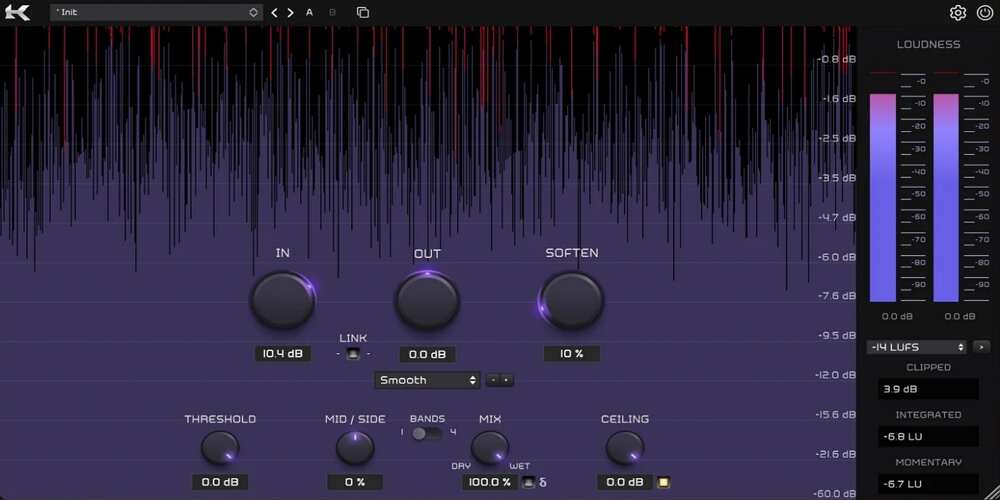
If StandardCLIP is a precision scalpel, KClip 3 is a complete surgical kit. No other clipper at this price point comes close to matching its combination of eight distinct clipping algorithms, four-band multiband processing, and full mid/side control.
The eight clipping modes span a massive tonal range. Smooth and Crisp handle transparent mastering duties, with Crisp being a standout that generates high-amplitude low-order harmonics including even harmonics, a rarity among clippers. Tube and Tape add analog warmth. Germanium and Silicon provide vintage transistor character. Broken Speaker and Guitar Amp push into aggressive creative territory for sound design and effect processing.
The four-band multiband mode is the feature that truly elevates KClip 3. You can apply different clipping algorithms to different frequency ranges simultaneously. A common professional technique is to use clean hard clipping on the sub-bass to tighten kick drum transients, warm tape saturation on the midrange for cohesion, and leave the high frequencies untouched for sparkle and air. No other plugin under $100 offers this level of frequency-specific saturation control.
Add in mid/side processing for stereo-aware clipping, separate online and offline oversampling settings (up to 32x) for CPU management, and built-in LUFS metering for streaming-target mastering, and you have a genuinely complete mixing and mastering tool.
The sheer number of options can be overwhelming for beginners, and dialing in optimal multiband settings requires experience. Some users report that aliasing can be noticeable on certain modes without sufficient oversampling. A few veteran users also prefer the simpler interface of the older KClip 2 for quick single-band work.
| Developer: Schwabe Digital
Price: $249 (rent-to-own available) |
Formats: VST3, AU, AAX
Best For: High-end mastering sheen and cohesion |
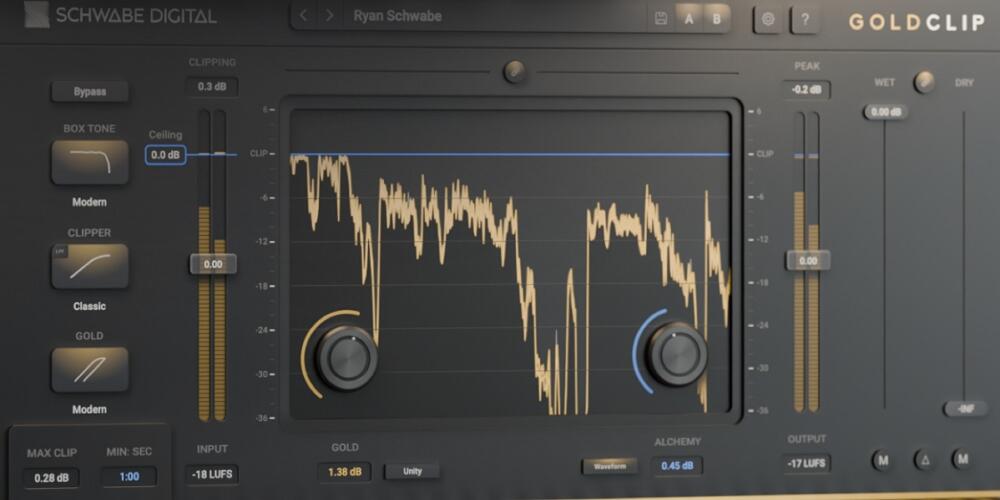
Gold Clip is the most expensive dedicated clipper on the market, and the most polarizing. Created by Grammy-nominated engineer Ryan Schwabe, it aims to be more than a clipper. It is a mastering processor designed to add loudness, cohesion, and a premium sonic character that producers describe as making tracks sound more expensive.
The Gold Clip Pack bundles two plugins: Gold Clip for master bus and bus processing, and Gold Clip Track for individual channels. Both share the same core engine with three converter-emulation clipping modes (Modern, Classic, and Hard), but the real magic lies in two proprietary processes.
Gold Processing adds up to 6 dB of non-linear gain that amplifies low-level material while leaving peaks completely untouched, with zero attack or release artifacts. Think of it as density and fullness without compression. Alchemy dynamically reduces high frequencies as the signal approaches the clip point, softening the harshness that clipping can introduce. The effect is similar to the way analog tape naturally rounds off transient brightness.
Engineers behind major pop, hip-hop, and R&B releases have adopted Gold Clip as a finishing tool. The results can be impressive: mixes that feel louder and more polished without sounding processed.
The $249 price is a significant investment, and professional opinions are divided on whether the results justify the premium over plugins costing a fraction as much. StandardCLIP’s Soft Clip Pro mode, for instance, achieves comparable Lavry-style saturation at one-tenth the price. The lack of VST2 support may also be a dealbreaker for some DAW setups. Evaluate with the demo before committing.
| Developer: Newfangled Audio (Eventide)
Price: $49 |
Formats: VST2 (Win), VST3, AU, AAX
Best For: Heavy saturation without tonal imbalance |
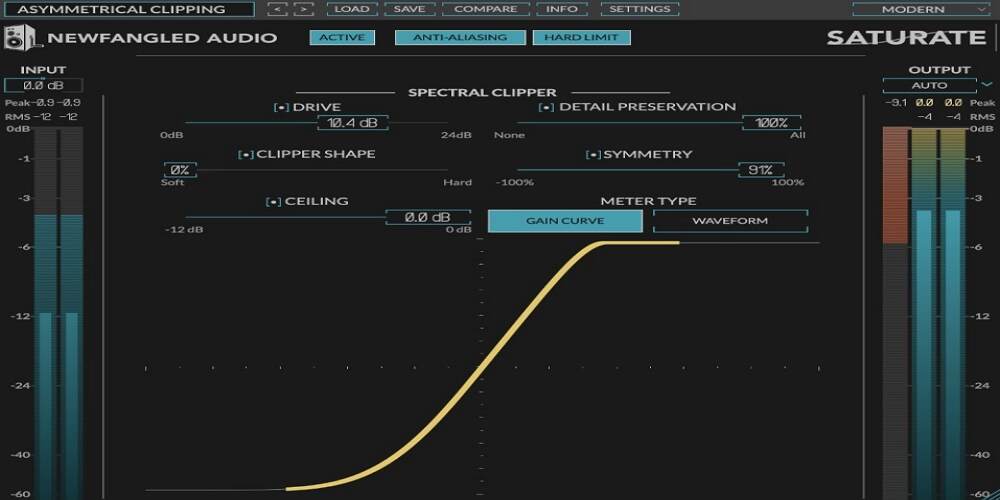
Saturate takes a fundamentally different approach from every other clipper on this list. Rather than applying a single clipping curve to the entire signal, its spectral clipping algorithm breaks audio into independent frequency components and processes each one separately.
This solves one of the biggest problems with traditional saturation and clipping: the mud factor. When you drive a standard clipper hard, low-frequency energy swamps the mids and highs, making the result sound tubby and indistinct. Saturate’s frequency-independent processing means you can push up to 24 dB of overdrive while the fundamental tonal balance stays intact. The result is rich, present saturation that adds density without the usual EQ consequences.
The interface is deceptively simple. The Drive control sets the amount of saturation, while the Shape control smoothly morphs between the mathematically smoothest possible soft clipping curve and full hard clipping. An asymmetrical Symmetry control introduces even-order harmonics for a warmer, more musical character. The Detail Preservation feature retains high-frequency clarity even under heavy processing.
The spectral approach can confuse users expecting traditional clipper behavior. There is no multiband or mid/side processing. Some users report noticeable latency that makes it better suited for mixing and mastering than real-time tracking. Requires an iLok account (though no physical dongle is needed).
| Developer: Brainworx (Plugin Alliance)
Price: $39.99 (often $29–40 on sale) |
Formats: VST2, VST3, AU, AAX
Best For: M/S mastering and stereo image enhancement |
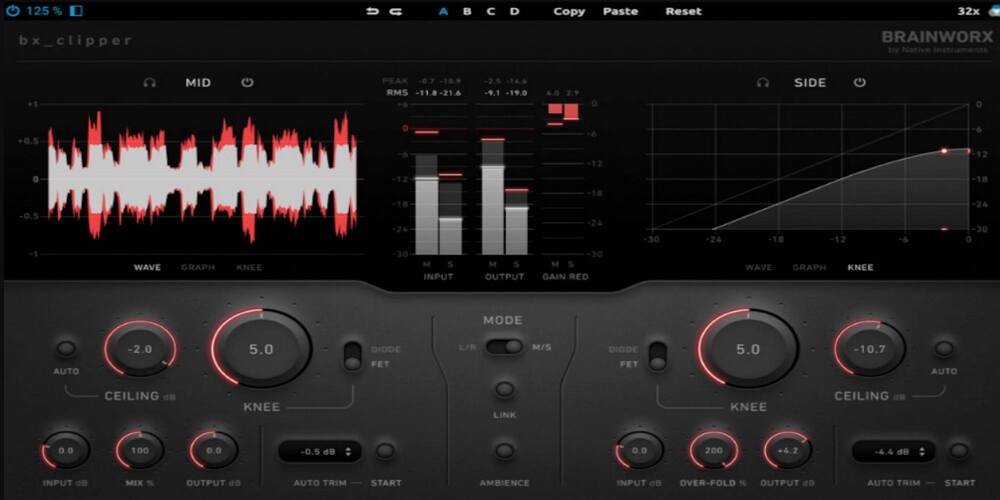
Brainworx has built its reputation on mid/side processing, and the bx_clipper brings that expertise to clipping in a way no other plugin matches. It lets you process the mono center (Mid) and stereo sides of your mix completely independently, each with its own clipping mode and settings.
A powerful mastering technique is to use the smooth, natural FET clipping mode on the Mid channel to gently control your kick, bass, and vocal peaks, while applying the more aggressive Diode mode to the Sides for excitement and width on things like synth pads and cymbal transients. This lets you push overall loudness without collapsing your stereo image.
Smart workflow features include Auto Ceiling (which analyzes audio to set the optimal clipping threshold), Auto Trim (RMS-matched A/B comparison to avoid the louder-is-better trap), and an Ambience button that lets you solo just the clipped-away information. The Wet knob goes beyond 100% for an overfold distortion effect useful in sound design.
Only two clipping modes (FET and Diode) compared to the eight offered by KClip 3. No multiband processing. Can be CPU-heavy at high oversampling rates. Some users report a slight brightness shift with the FET mode.
| Developer: Softube
Price: $79 (frequently $29–39 on sale) |
Formats: VST3, AU, AAX
Best For: Musical tone-shaping with RMS + Peak stages |
Softube’s approach to clipping is uniquely musical. Instead of a single processing stage, it uses a dual-stage architecture that separates the creative and technical sides of clipping into two distinct controls.
The first stage is an RMS saturator that works on the body of the sound. It adds perceived loudness, warmth, and density before the signal even reaches the clipper. Think of it as gently massaging the material before sculpting it. The second stage is a Peak clipper with a true zero attack and release time for clean, precise transient control.
An Analog Color switch adds even-order harmonics to the RMS stage, producing the kind of sweet, rich saturation associated with vintage analog gear. This makes the Softube Clipper particularly effective on drum buses and 808s where you want warmth and weight alongside loudness. The blend control lets you mix processed and dry signals for parallel clipping.
Under the hood, Softube uses antiderivative anti-aliasing (ADAA) instead of traditional oversampling, which provides cleaner high-frequency performance with lower latency and CPU usage.
No user-selectable oversampling (fixed 4x ADAA). No multiband or mid/side processing. Some mastering engineers report phase shift concerns. Its strength is character rather than surgical precision.
| Developer: Venn Audio
Price: $60 |
Formats: VST3, AU, AAX
Best For: Maximum configurability and technical depth |
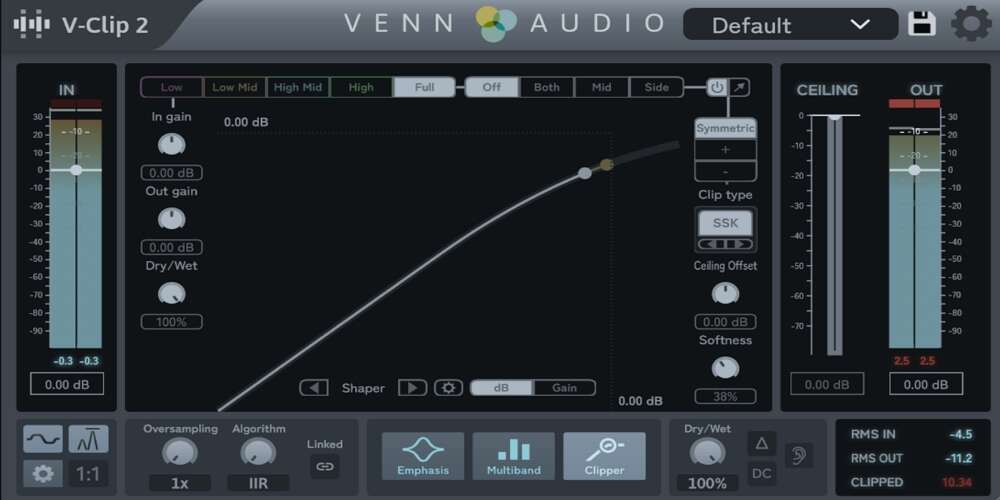
V-Clip 2 is the most technically ambitious clipper plugin ever built. Released in September 2025, it packs a staggering amount of processing power into a single plugin that can handle virtually any clipping scenario.
The feature list is remarkable: up to 10 separate clipping stages arranged in multiband configurations, full mid/side processing, 512x oversampling with three polyphasic anti-aliasing filter types, and a vast selection of sigmoid waveshaping functions including hard clip, quintic, cubic, hyperbolic tangent, algebraic, and arctangent curves with variable soft knee. Advanced asymmetric clipping lets you set separate waveshaping and thresholds for positive and negative samples. A wavefolding mode expands it beyond traditional clipping entirely.
Six visualization types (shaper, waveform, oscilloscope, envelope, spectrum, and histogram), true peak detection, LUFS metering, gain-matched bypass, and delta listening round out an exhaustive feature set. The modular interface lets you pop components into floating windows and resize everything to suit your workflow. All processing runs in 64-bit double precision.
The learning curve is steep. This is genuinely overwhelming for anyone who wants simple, transparent clipping. CPU demands at high oversampling rates are significant. Some early stability issues were reported at launch, though updates have addressed them. If you value simplicity, StandardCLIP or Kilohearts Clipper will serve you better.
| Developer: Boz Digital Labs
Price: $59 (often $29 on sale) |
Formats: VST2, VST3, AU, AAX
Best For: Creative distortion, low-end protection |
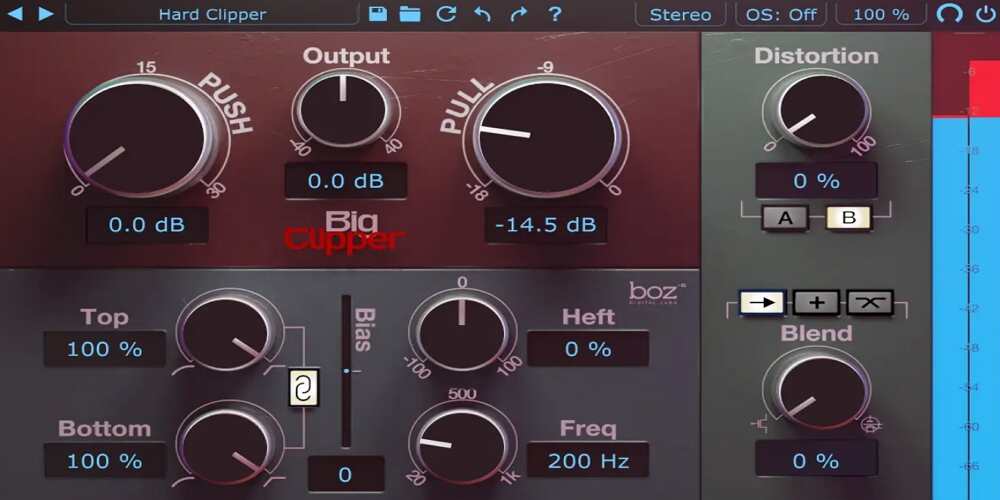
Big Clipper 2 is not trying to be the most transparent clipper. It is a creative tone-shaping tool that blends clipping and limiting in ways that encourage experimentation and reward boldness.
The hybrid architecture offers four blend modes. Two crossover modes split the clipper and limiter across different frequency bands. A parallel mode blends them side by side. And a serial mode runs one into the other. This flexibility means you can dial in precisely how much clean peak shaving versus warm compression-style distortion you want.
The standout feature is the Heft control, which is specifically designed to protect low-end dynamics while allowing aggressive clipping above a user-defined frequency. For bass-heavy genres like hip-hop, trap, and EDM, this solves the common problem of clipping making your sub-bass muddy and undefined. Independent Top and Bottom Shape controls enable asymmetric distortion, while a Bias knob adds even-harmonic richness. Two tube-mode profiles and mid/side operation round out the feature set.
The bundle includes Little Clipper 2, a streamlined version for quick single-band work.
Lacks a dedicated gain reduction meter, making precise level-matching less intuitive. Its strength is character, not transparency. If you need clean, uncolored peak shaving for mastering, StandardCLIP is the better choice.
| Developer: Kilohearts
Price: FREE |
Formats: VST3, AU, AAX, CLAP
Best For: Simple, efficient peak trimming |
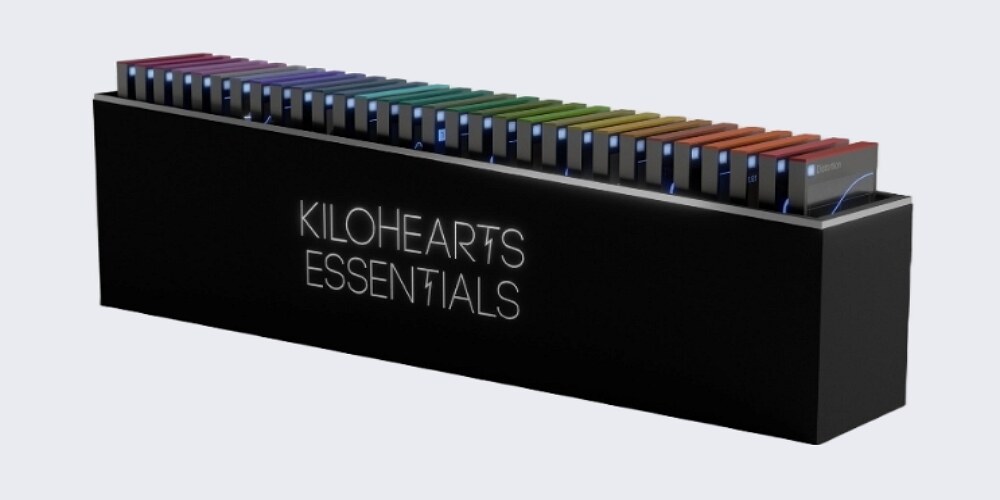
Released in March 2025, the Kilohearts Clipper proves that a genuinely professional clipper does not have to cost anything. It is simple, lightweight, and sounds great.
You get four controls: In Gain, Threshold, Knee (to smooth the transition from clean to clipped), and Out Gain. That is it. There are no menus, no hidden panels, and no complicated settings. Load it, set the threshold, push the gain, and you are clipping. The per-sample processing provides true hard clipping at its sharpest, or softer saturation when you open up the Knee.
Despite its simplicity, the audio quality holds up against paid competitors for basic peak-shaving duties. It is extremely light on CPU, making it practical to place on dozens of tracks in a large session. It also integrates as a Snapin into the wider Kilohearts ecosystem (including the free Snap Heap host and the powerful Phase Plant synth), opening up modular sound design possibilities.
No oversampling, which means aliasing artifacts are possible at aggressive settings. No multiband, no mid/side, no multiple clipping modes. For critical mastering, you will want a more fully-featured paid option. But as a utility clipper for taming transients across individual tracks and buses, it is hard to beat at any price.
The free clipper market has exploded in 2025–2026. Here are three more options worth downloading alongside the Kilohearts Clipper:
Having the right clipper is only half the equation. Here are practical techniques for getting the most out of these tools:
Place your clipper directly before your final limiter in the master chain. Set the oversampling to at least 16x for clean results. Start by lowering the ceiling by just 1–2 dB. Watch the meter to confirm it is catching only the very tips of your loudest peaks, typically snare hits and kick transients. This light touch gives your limiter significantly less work to do, resulting in a louder master that retains punch and clarity.
A clipper on your drum bus is one of the most effective ways to add punch and cohesion to a drum mix. It tightens the low end of the kick, controls aggressive snare transients, and lets you bring the entire bus up in volume without it overpowering the rest of the mix. If your clipper supports multiband mode (like KClip 3 or V-Clip 2), try applying harder clipping to the sub frequencies while leaving the high-frequency cymbals and overheads untouched.
Is your snare too pokey but you do not want to kill its attack with a slow compressor? A clipper is the perfect tool. Set it to shave off just the very tip of the transient peak. You keep the body and punch of the hit while making it sit better in the mix. The same technique works beautifully on aggressive vocals, where the loudest peaks can be 10–12 dB above the average level. A few dB of clipping before compression gives you a much more consistent starting point.
High oversampling rates improve audio quality by reducing aliasing, but they add latency and increase CPU load. Most modern DAWs compensate for this automatically, but if you are using a clipper on a parallel track, the added latency can cause phase issues against the dry signal. For mixing, 4x to 16x is usually sufficient. Save the extreme settings (32x and above) for your final mastering bounce.
A clipper is an audio processing tool that cuts the peaks of a waveform at a threshold you set. Unlike a limiter, which turns volume down over time, a clipper operates on a per-sample basis with zero attack and zero release. Producers use clippers on drums, vocals, buses, and master chains to tame transients and gain loudness while keeping the body and punch of the mix intact.
Ideally, both. The standard professional approach is to place a clipper before your final limiter. The clipper handles the tallest, spikiest transient peaks (typically 1–3 dB), giving the limiter less work to do. The limiter then handles the remaining dynamics for a polished, commercially loud result. This combination preserves more punch and dynamic feel than using either tool alone.
Hard clipping instantly and completely flattens any signal that exceeds the ceiling, generating aggressive odd-order harmonics. Soft clipping gradually rounds off the signal as it approaches the ceiling, producing warmer even-order harmonics similar to analog tape or tube saturation. Most modern clipper plugins let you adjust between the two.
Clipping is a non-linear process that generates new harmonics. Some of these harmonics can fold back into the audible range as aliasing, which sounds harsh, brittle, and unmusical. Oversampling processes the audio at a higher internal sample rate to push these artifacts above the audible threshold, then filters them out. Higher oversampling (16x and above) produces cleaner results, especially when clipping aggressively.
Absolutely. Clippers are excellent on individual drum tracks (especially snares and kicks), vocal channels, bass, and instrument buses. Using clippers throughout your mix to manage transients at the source means your master bus limiter has far less heavy lifting to do, resulting in a more dynamic-sounding final master.
For simplicity and quality, the Kilohearts Clipper is hard to beat. For more features including oversampling and multiple algorithms, Venn Audio Free Clip 2 and Kazrog KClip Zero are outstanding choices. All three are genuinely professional-grade tools.
The best clipper for you depends entirely on what you need it to do:
The clipper plugin market has never offered more value at every price point. Whether you are a bedroom producer just discovering clipping or a mastering engineer refining your chain, there is a perfect tool on this list for you. Trust your ears, experiment boldly, and let these plugins unlock the loudness and punch your mixes deserve.
Other Related Guides: