 11
11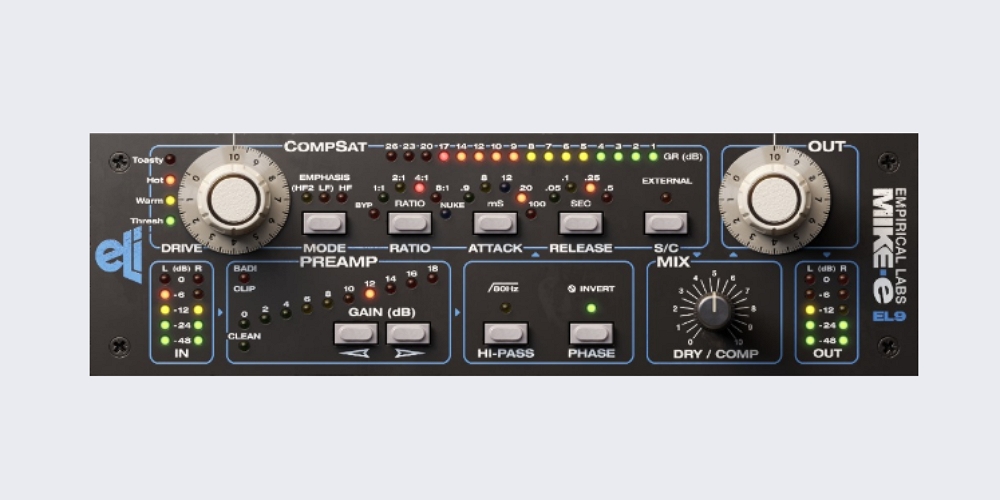
The Empirical Labs Distressor is one of the most celebrated hardware compressors ever built. Studio engineers have relied on it for decades to add presence, punch, and character to virtually any source — from vocals and drums to bass and room mics. The hardware unit is famous for its extraordinary range: it can provide barely-there dynamic control at one extreme and full-on signal destruction at the other, all while injecting harmonic color that makes tracks sound more expensive and finished.
The problem? The hardware costs thousands of dollars, and you can only use one instance per channel — unless you own several units. That is exactly why Distressor plugins have become essential tools in modern production. They capture the sonic character of the original hardware and let you run unlimited instances across your session without breaking the bank.
This guide covers the best Distressor plugins available today, from official hardware emulations built in collaboration with Empirical Labs to independently developed Distressor-inspired compressors. Whether you are a bedroom producer looking for your first Distressor-style tool or a seasoned engineer wanting to go deeper on which emulation is most faithful to the hardware, this guide has you covered.
The Empirical Labs EL8 Distressor is a variable-ratio compressor released in the 1990s by engineer Dave Derr. What set it apart from other compressors of the era was its ability to combine clean, fast compression with selectable harmonic distortion — essentially blending a compressor and a saturator into one coherent unit.
The Distressor offers eight compression ratios ranging from the gentle 1:1 mode — which adds analog warmth without actually compressing — up to the infamous Nuke setting, which slams signals with extreme aggression. The Dist 2 and Dist 3 modes introduce second and third harmonic distortion, adding tube-like warmth or tape-style grit to any source. The result is a compressor that does not just control levels; it actively shapes the tone and energy of whatever you run through it.
This combination of dynamic control and harmonic shaping is why mixing engineers reach for the Distressor on sources that need to both sit properly in a mix and feel alive — lead vocals that must stay forward without sounding squashed, drum rooms that need to explode with energy, and bass lines that must translate clearly across every playback system.
Not every plugin labeled a Distressor emulation delivers the same experience. Before spending money, here are the key features to evaluate:
Compression Ratio Accuracy: The original hardware has eight distinct ratios, each with its own threshold behavior and sonic character. A quality emulation should replicate how each ratio affects the envelope of a signal, not just the gain reduction amount.
Harmonic Distortion Modes: Dist 2 and Dist 3 are central to the Distressor sound. Look for plugins that model these modes accurately, capturing the difference between smooth second-harmonic warmth and grittier third-harmonic edge.
Attack and Release Behavior: The Distressor is known for an ultra-fast attack response. Many emulations soften this behavior. The best plugins reproduce the precise envelope behavior of the hardware, including how the attack interacts with transient material.
Sidechain Flexibility: The hardware includes a sidechain section with high-pass and band-pass filters. This lets you prevent low frequencies from triggering the compressor unnecessarily — critical for bass-heavy material and full-mix work.
Nuke Mode: The extreme compression mode that the Distressor is famous for, primarily used on room mics and parallel drum channels. Any credible emulation should include this.
DAW and OS Compatibility: Confirm VST, AU, and AAX support, and verify compatibility with your current macOS or Windows version before purchasing.
| Plugin | Type | Best For | Formats | OS | Free? |
| UAD EL8 Distressor | Hardware Emulation | Drums, Vocals, Bass | VST, AU, AAX | Mac, Win | No |
| Empirical Labs Arousor | Hardware Emulation | Vocals, Snare, Bass | VST, AU, AAX | Mac, Win | No |
| Softube Mike-E Comp | Channel Strip | Vocals, Bass, Guitar | VST, AU, AAX | Mac, Win | No |
| Slate FG-Stress | Hardware Emulation | Drums, Vocals, Bus | VST, AU, AAX | Mac, Win | No (AAP) |
| IK Comprexxor | Hardware Emulation | Vocals, Full Mix | VST, AU, AAX | Mac, Win | No |
| Kiive XTComp | Modern Distressor | Drums, Synths, Bass | VST, AU, AAX | Mac, Win | No |
| Kiive Xtressor NUKE | Extreme Compression | Drum Rooms, Bus | VST, AU, AAX | Mac, Win | Yes |
| Kiive XTMax | Drum-Focused | Drum Bus, Loops | VST, AU, AAX | Mac, Win | Yes |
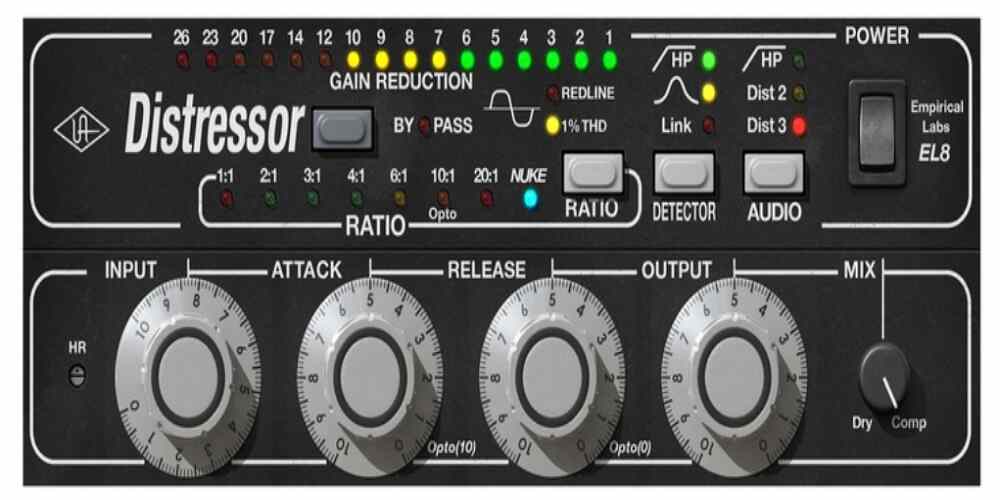
If authenticity is the primary goal, the UAD Empirical Labs EL8 Distressor is the benchmark against which all other Distressor plugins are measured. Developed by Universal Audio in collaboration with Empirical Labs, this emulation is widely regarded as the most faithful digital recreation of the hardware — capturing not just the gain reduction behavior but the subtle nonlinearities, harmonic characteristics, and envelope response that define the original unit’s sound.
Universal Audio markets the EL8 as an end-to-end emulation available both natively on macOS and Windows and on UA DSP hardware for Apollo interfaces. The native version means you can use it without owning any UAD hardware, making it more accessible than it used to be.
The EL8 covers the full eight-ratio range of the hardware, from the 1:1 mode that adds warmth through harmonic coloring without actual compression, through to the Nuke setting for extreme room mic treatment and parallel compression. Each ratio in this emulation behaves as it does on the hardware, with independent threshold responses rather than a single threshold applied uniformly across all ratios.
The Dist 2 and Dist 3 modes are among the most convincing aspects of this plugin. Dist 2 introduces even-order harmonic content — the smooth, tube-like warmth that thickens vocals and adds weight to synths without making them harsh. Dist 3 pushes into odd-order territory with a grittier, tape-like character that works especially well on drums and bass. Using the distortion modes without heavy compression is a legitimate production technique for adding analog character to overly clean digital recordings.
The plugin version extends the hardware feature set with a dry/wet mix control for easy parallel compression without routing, a customizable headroom control to tailor operating level, and a sidechain section that gives you precise control over which frequencies trigger compression. The famous presets from engineers including Joe Chiccarelli and Vance Powell are an excellent starting point for learning how professional mixers approach the Distressor on different sources.
The UAD EL8 is the first choice for engineers who want the most accurate Distressor experience in software and are comfortable with Universal Audio’s licensing model. It excels on lead vocals, drum rooms, parallel drum compression, bass, and any source that needs to feel more finished and intentional in the mix.
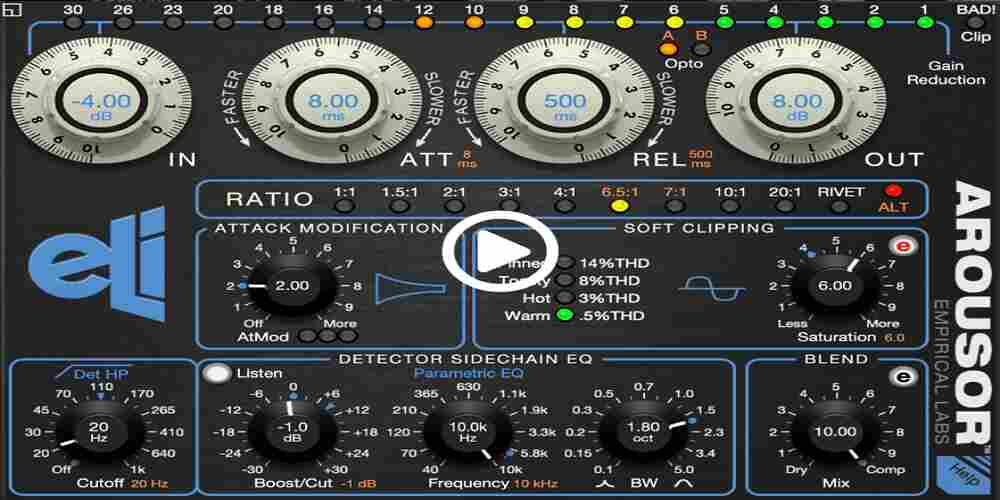
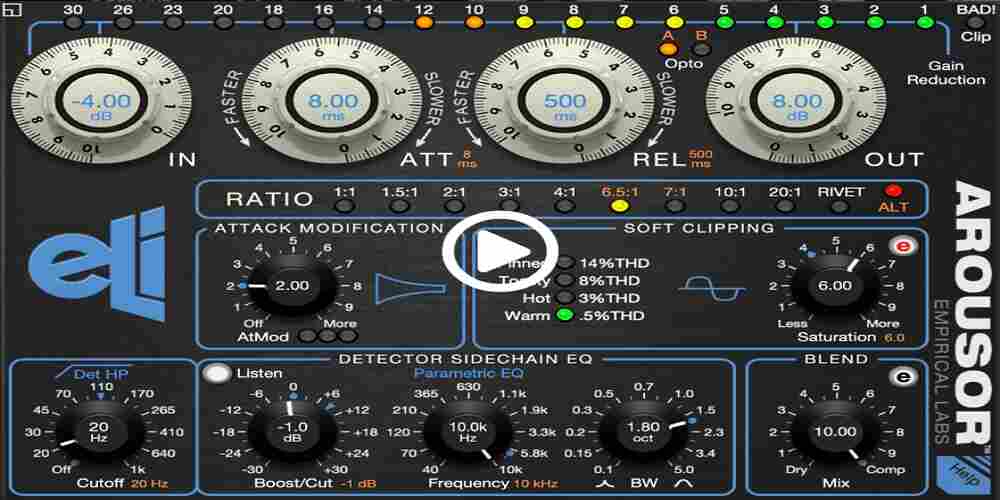
The Arousor occupies a unique position among Distressor plugins because it was built by the people who designed the original hardware. Rather than being a static recreation of a specific hardware revision, the Arousor is Empirical Labs’ own evolution of the Distressor concept — a modern compressor that draws on the hardware’s DNA while introducing new features and refinements designed specifically for software.
This distinction matters in practice. Where third-party emulations try to replicate what the hardware does, the Arousor has been designed by the same engineering team with full knowledge of why the Distressor sounds the way it does. The result is a plugin that feels deeply authentic without being a frozen snapshot of vintage hardware.
One of the most useful additions over the original hardware is the Attack Modification knob. This control lets you adjust how much of the initial transient passes through before the compressor engages, giving you precise control over snap and articulation. On snare drums, dialing in more transient pass-through adds the kind of stick attack that makes a snare crack without sacrificing the compression that holds the hit in place. On bass, it restores the initial pluck or pick attack so notes have definition even under significant gain reduction.
The Arousor includes a soft clipper that introduces vintage-style harmonic saturation in a more graduated way than simple Dist 2 and Dist 3 buttons. Rather than switching between preset distortion flavors, you can dial in exactly how much harmonic content you want — from barely perceptible warmth to noticeable grit. This makes it easier to tailor the saturation to a specific source without committing to a fixed distortion character.
The sidechain EQ in the Arousor is more sophisticated than what is available on most hardware and plugin Distressor emulations. It allows you to sculpt which frequency content triggers the compressor with considerable precision, which becomes particularly important on complex sources like drum buses and full mixes where you want compression to respond to a specific frequency range rather than the entire signal.
Rivet Mode is the Arousor equivalent of Nuke — an aggressive compression setting designed for room mics, parallel drum channels, and any situation where you want deliberate, dramatic compression that transforms the envelope rather than simply controlling it. It is an essential tool for modern rock and hip-hop production where drums are expected to feel massive.
The Arousor is the best choice for producers and engineers who want the authentic Distressor lineage with modern flexibility and more surgical control over transients and sidechain behavior. It performs exceptionally well on lead vocals, snare drums, drum rooms, bass, and synth leads.
The Softube Empirical Labs Mike-E is different from the other Distressor plugins on this list because it is not primarily a Distressor emulation. It is a recreation of the Empirical Labs Mike-E hardware — a preamp, compressor, and saturator combined into one unit. While it is built on the same Distressor compression platform and was designed in direct collaboration with Dave Derr and Empirical Labs, it extends that foundation with a multi-stage signal path that includes a full preamp stage and a CompSat section that blends compression with soft clipping.
The practical benefit is that the Mike-E can take a source from raw to record-ready in a single plugin insert without needing to build a chain of compressor, saturator, and preamp separately. This reduces phase complications, CPU load, and the time spent managing multiple plugin interactions.
The CompSat section is the centerpiece of the Mike-E’s sound. It blends dynamic compression with soft-clipping saturation in a way that feels musically cohesive rather than like two separate processes happening simultaneously. The result is a kind of density and presence that is difficult to achieve by stacking a compressor and a saturator independently, because the saturation and compression in the Mike-E are designed to interact in a specifically musical way. Even at extreme settings, the plugin tends to maintain clarity and avoid the harshness that can come from aggressive compression combined with heavy saturation.
The preamp stage is a genuine differentiator. Driving it harder injects crunchy harmonic distortion that transforms the character of guitars, bass, and vocals without needing additional saturation plugins. The level of drive feeds directly into the CompSat circuit, giving you control over the relationship between preamp color and dynamic compression in a way that is more integrated than using separate tools.
The Mike-E includes emphasis modes and multiple stages of distortion that expand its tonal palette significantly beyond a standard Distressor emulation. These modes allow you to tune the frequency emphasis of the compression and saturation circuit, which is useful for tailoring the effect to different sources — boosting mid-range presence on guitars, adding low-end weight to bass, or adding top-end air to vocals.
The Mike-E is the best choice when you want a complete, finished sound from one plugin rather than a chain of processors. It is particularly effective on vocals that need both dynamic control and tonal character, bass that needs density and definition, and guitars that need compression and drive simultaneously. It is also excellent on drum rooms and aggressive mix buses.
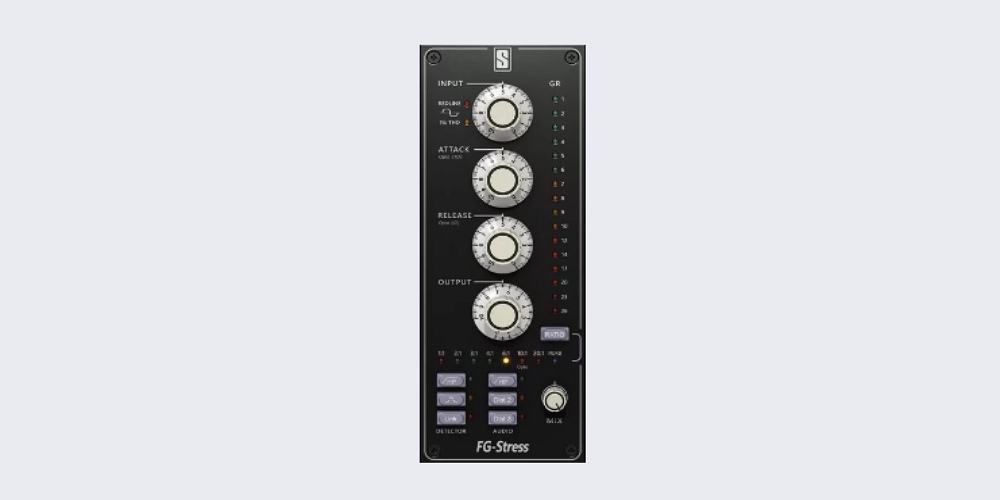
The Slate Digital FG-Stress is a meticulous emulation of the Empirical Labs EL8-X — the stereo-linked expanded version of the Distressor hardware. It forms part of Slate Digital’s All Access Pass subscription, which means it is available alongside a large library of other plugins at a single monthly price rather than requiring a standalone purchase.
The FG-Stress is built around the same core Distressor architecture as the UAD version but is designed with Slate Digital’s approach to plugin workflow — an emphasis on presets, accessibility, and integration with their broader suite of channel strip and bus processing tools. It is particularly appealing to producers who are already in the Slate Digital ecosystem or who want a subscription-based route into serious Distressor emulation.
The FG-Stress covers all eight compression ratios of the hardware, each with independent threshold behavior and distinct sonic character. The 10:1 Opto mode is worth highlighting separately because it emulates a different compression response from the standard high-ratio modes — smoother, more musical, and slightly slower in a way that suits vocals and acoustic sources. It is an underused feature in many Distressor workflows and one that the FG-Stress executes convincingly.
The Dist 2 and Dist 3 buttons are well-implemented here, with Dist 2 adding smooth even-order harmonic warmth and Dist 3 contributing grittier odd-order character. The sidechain section includes high-pass and mid-range controls that let you prevent low-frequency content from over-triggering the compressor — critical for bass-heavy mixes and full-bus processing.
One of the practical advantages of the FG-Stress is its preset library. Slate Digital has included a solid range of starting points for common use cases — drums, vocals, bass, and bus processing — which accelerates workflow, particularly in sessions where you need to move quickly. These presets are also useful for learning how the Distressor’s various ratio and distortion combinations interact across different source material.
The FG-Stress is best for producers and engineers already invested in the Slate Digital ecosystem and for anyone who wants a subscription-based route to a high-quality Distressor emulation. It is particularly strong on drums, vocals, bass lines, and mix buses.
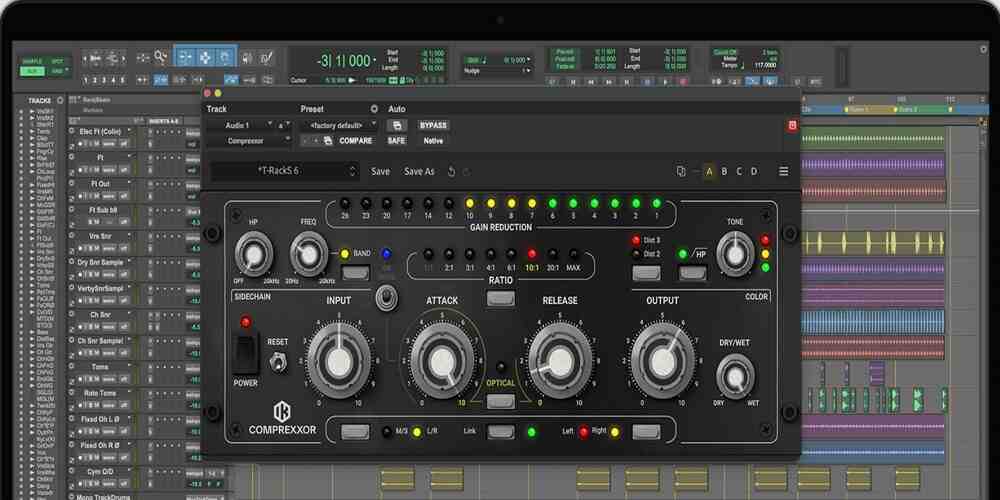
The IK Multimedia Comprexxor is a Distressor-inspired compressor that leans into the harmonic and saturation capabilities of the original hardware while offering some distinctive design choices of its own. Rather than being a straight emulation of a specific hardware revision, the Comprexxor is IK’s interpretation of the Distressor concept, which gives it a slightly different character and a set of features that are worth examining on their own merits.
Like the hardware, the Comprexxor provides eight compression ratios from 1:1 through to a MAX brick-wall limiter. Each ratio curve has its own threshold behavior, which means the compressor responds differently depending on how hard you push the input — a characteristic that rewards experimenting with different ratio settings rather than defaulting to the same one for every source.
The harmonic saturation section is one of the Comprexxor’s strongest features. The choice between 2nd order and 3rd order harmonic distortion maps loosely to the Dist 2 and Dist 3 modes of the hardware but with IK’s own implementation. The 2nd order mode adds tube-like even harmonic warmth that suits vocals and acoustic sources, while the 3rd order mode contributes a tape-style grit that works well on drums and bass. Together, these modes give the Comprexxor the ability to transform the tone of a recording rather than just control its dynamics.
The sidechain section includes both high-pass and band-pass filters, giving you control over which frequencies influence the compression response. This is particularly useful in complex mixes where you need compression to track a specific element — such as the mid-range of a vocal — without being distracted by low-end energy in the signal.
The Optical button switches the Comprexxor into an optical compression mode that mimics the behavior of vintage opto-compressors — a smoother, more forgiving response that is especially well-suited to vocals and acoustic instruments. Having both standard VCA-style compression and optical-style compression in one plugin adds significant versatility.
The Comprexxor is a strong choice for producers who want a Distressor-inspired tool with flexible harmonic shaping and the added option of optical-style compression. It works particularly well on vocals, acoustic sources, and full mix buses.
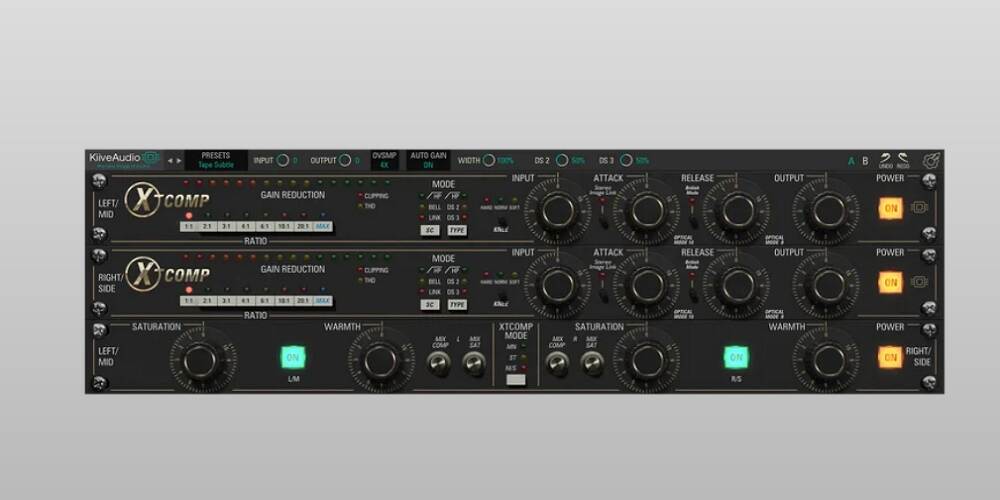
Kiive Audio has developed a family of Distressor-inspired plugins that sit in a different design category from the official emulations. Where UAD, Softube, and Empirical Labs themselves are focused on hardware accuracy, Kiive Audio’s approach is to build compressors that capture the spirit and workflow of the Distressor while adding modern production-focused features and a more accessible price point.
The XTComp is the flagship premium option in Kiive’s Distressor-influenced lineup. It is designed for producers who want Distressor-style compression character across multiple sources in the same session without the workflow complexity of the more elaborate official emulations.
The XTComp earns its position on this list because it handles the two most common Distressor use cases with equal competence. Used subtly, it acts as a stabilizer that holds dynamic sources in place without obvious compression artifacts. Pushed harder, it reshapes the envelope of a sound in ways that add energy and presence rather than just reducing peaks. This makes it useful as a go-to compressor for a wide range of sources within a single session — something that generally requires either multiple specialized compressors or expensive hardware emulations.
On lead vocals, the XTComp keeps words intelligible through dense choruses without flattening the performance. On close-mic drum tracks, it tightens hits so the groove feels more controlled and consistent. On room mics and parallel drum channels, it delivers the explosive compression character that has made the Distressor an engineering standard for drum treatment.
The XTComp is best suited to producers who want a versatile Distressor-style compressor for everyday use across vocals, drums, bass, and synths, and who want a more accessible price point than the official hardware emulations.
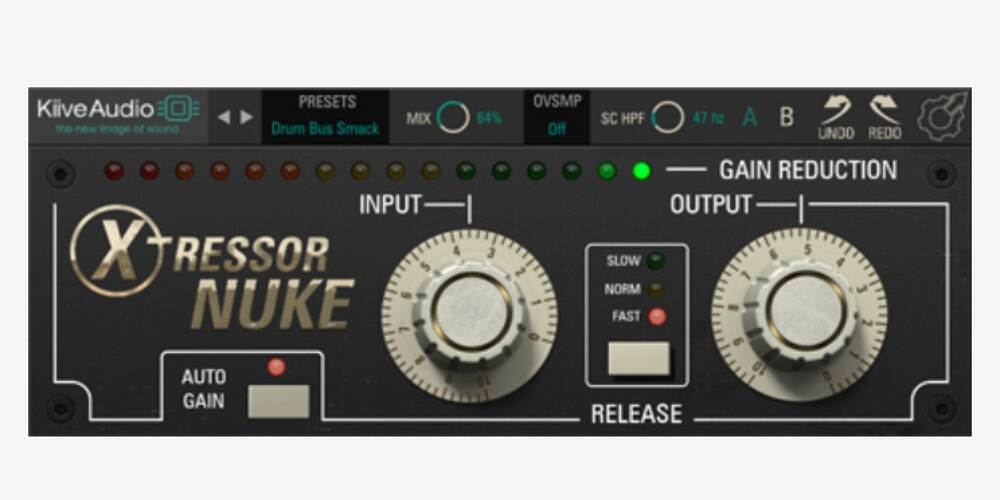
The Xtressor NUKE is a free plugin built on the same core algorithms as Kiive’s full Xtressor compressor. It is designed for one specific outcome: aggressive, large-scale compression that makes drums and room mics sound bigger, louder, and more intense. Its approach to workflow is deliberately different from full-featured compressors — instead of presenting neutral settings that you build up from scratch, it starts from an extreme, high-energy compression state and lets you refine from there.
The entire interface is built around two knobs — Input and Output — and two buttons for Auto Gain and Release mode. This simplicity is a feature rather than a limitation. The Input knob determines compression intensity, and the Auto Gain feature handles makeup gain automatically, removing one of the common workflow friction points of aggressive compression. You focus on the source, not on gain staging.
The Release button cycles through Fast, Normal, and Slow modes. This small set of choices is deliberately calibrated for the most common use cases rather than offering infinite adjustability. Fast release creates an explosive, pumping quality that suits parallel drum compression and aggressive room mic treatment. Normal and Slow modes allow the compressor to breathe in a more controlled way for sources that need sustained energy rather than rapid transient recovery.
The Xtressor NUKE is most valuable in parallel compression chains where you want dramatic compression on a copy of the signal that is blended back with the dry source. It is particularly effective on drum rooms, drum buses, loop-based production, and any source where you want the compression itself to be an audible, aggressive element of the sound rather than a transparent level control.
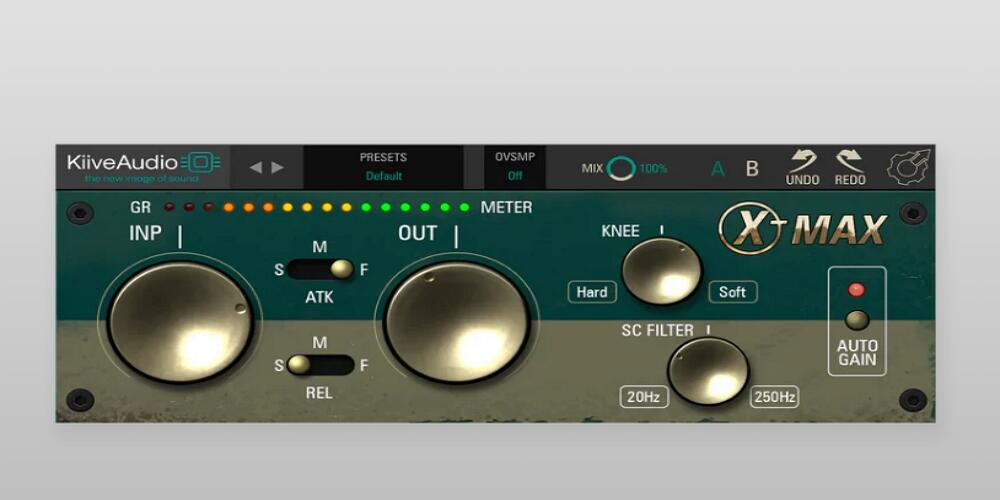
The XTMax is Kiive Audio’s free drum-focused compressor, designed specifically to make drum sounds feel bigger, tighter, and more exciting with minimal setup. Unlike general-purpose Distressor emulations that require significant time to dial in for drum material, the XTMax is tuned from the ground up for the situations where drum sounds need to stand out in a modern mix — flat drum bus processing, lifeless loop stacks, and close-mic tracks that lack impact.
On a drum bus, the XTMax pushes toward an explosive but controlled sound that unifies the kit — making the kick and snare land with more authority and the groove feel more cohesive. Drum sounds that feel separated and underpowered going in tend to come out feeling like a single, unified instrument rather than individual hits competing for space. This unified energy is a characteristic of well-treated drum buses on professional records that can be difficult to achieve with general-purpose compressors.
On drum loops, the XTMax is a quick fix for lack of presence in dense arrangements. Loops that sound good in isolation often fail to cut through once bass lines and synths are added. Rather than addressing this by over-boosting high frequencies or layering additional percussion samples — approaches that add complexity and often make the problem worse — the XTMax uses dynamic shaping to increase the sense of presence and energy so the loop holds its position in the mix without aggressive EQ.
Use the XTMax any time you want faster results on drums than a full-featured Distressor emulation allows. It works well as an always-on drum bus processor, as a quick enhancement on close-mic tracks in fast sessions, and as a free first option for producers building their plugin collection.
Knowing which Distressor plugin to use is only part of the equation. Understanding how to apply Distressor-style compression to specific sources will help you get the results that have made this compressor a studio standard.
The most common Distressor vocal application is achieving front-of-mix presence without making the performance sound squashed or lifeless. The key is using compression to shape consistency rather than to dramatically reduce peaks.
Start with the 4:1 or 6:1 ratio and aim for one to three decibels of gain reduction on the average signal level. This range gives you noticeable leveling without making the compression obvious. The attack should be fast enough to catch loud words before they jump out of the mix, but not so fast that the compressor removes the initial consonants that give vocal articulation its intelligibility.
The Dist 2 mode is worth engaging on most vocal sessions. Even without heavy compression, second-harmonic distortion adds warmth and presence that helps vocals cut through dense arrangements. This technique — using Dist 2 with minimal compression — is particularly effective on lead vocals that need analog character rather than aggressive dynamic control.
For heavily produced, modern vocal sounds that stay locked in place throughout the track, push gain reduction to three to six decibels and combine with Dist 2 for thickness. Go into six to ten decibels only as a deliberate stylistic choice — this is aggressive territory that changes the character of the performance significantly.
Drum treatment is where the Distressor made its reputation, specifically through the Nuke mode on room mics and through its fast attack response on close-mic tracks.
On close mics — kick, snare, and toms — use moderate ratios between 4:1 and 8:1 with two to four decibels of gain reduction. The goal is consistency and punch rather than dramatic compression. Fast attack settings tighten the hit so the transient is more controlled and reliable from hit to hit. This makes the groove feel more locked in, particularly in dense arrangements where inconsistent drum dynamics can cause parts of the kit to disappear.
On room mics, the Distressor is typically pushed much harder. The Nuke or Rivet mode creates the wall-of-energy room compression that has been heard on records from every major genre. Set a fast attack, fast release, and drive the compressor hard — eight to fifteen decibels of gain reduction is normal here. This is then blended back with the close-mic signals in parallel to add size and excitement without destroying transient impact on the main drum sound.
On drum buses, use a 4:1 or 8:1 ratio with three to six decibels of gain reduction. The Dist 2 mode adds glue and warmth to the combined drum sound without making individual hits feel over-processed.
Bass is often where the Distressor’s combination of compression and harmonic saturation is most valuable. The translation problem — bass that sounds great on full-range speakers but disappears on earbuds and laptop speakers — is fundamentally a note shape and consistency problem that Distressor-style compression is well-equipped to solve.
Use a 4:1 or 6:1 ratio with a moderately fast attack that still allows the initial note attack to pass through before the compressor engages. This preserves the pick or finger attack that gives bass notes definition on small speakers. Aim for two to five decibels of gain reduction for controlled dynamics and note consistency.
The sidechain high-pass filter is particularly important on bass. Roll off frequencies below 60 to 80 Hz in the sidechain to prevent sub-bass energy from over-triggering the compressor. Without this, kick drum bleed and fundamental bass frequencies cause excessive gain reduction that results in pumping and inconsistent note sustain.
Dist 2 mode on bass adds harmonic richness that helps the instrument translate across playback systems. The even-order harmonics that Dist 2 generates are in the frequency range that small speakers reproduce more easily than fundamental bass frequencies, which means a bass processed with Dist 2 will audible on earbuds and phone speakers even when the fundamental is inaudible.
Most compressors are designed primarily for gain reduction — controlling dynamic range by turning down loud signals. The Distressor does this too, but its distinguishing feature is the combination of compression with selectable harmonic distortion. This means it can add tonal character and presence to a source at the same time as controlling its dynamics. Standard compressors aim for transparency at lower settings; the Distressor is designed to add musical coloration even when compression is subtle.
The UAD Empirical Labs EL8 Distressor is widely considered the most accurate digital emulation, developed in direct collaboration with Empirical Labs. The Empirical Labs Arousor is unique in that it was built by the original hardware designers, though it is an evolution of the concept rather than a static emulation of any specific hardware revision.
Yes. While Distressor-style compression is most commonly used on individual channels, it can be effective on mix buses and full mixes, particularly for adding subtle harmonic warmth using the Dist 2 mode with minimal compression. For bus processing, use conservative settings — one to two decibels of maximum gain reduction — and be cautious about the Nuke and Rivet modes, which are designed for more extreme single-channel applications.
Nuke mode (called Rivet in the Arousor) is an extreme compression setting that produces dramatic gain reduction and significant harmonic content. It is primarily used on room microphones during drum recording to create an exaggerated, explosive room sound that adds size and energy to a drum kit. It is also used on parallel drum compression chains and occasionally on loops and other sources where aggressive compression is a deliberate stylistic element.
Free Distressor plugins like the Kiive Audio Xtressor NUKE and XTMax are genuinely useful tools that deliver convincing results on their intended sources. They are not as feature-rich or as accurate to the original hardware as paid emulations, but they perform well for the specific applications they are designed for — aggressive drum compression and bus treatment. For a dedicated Distressor emulation with full hardware accuracy, a premium plugin is the better investment.
No. Universal Audio now offers the EL8 Distressor as a native plugin that runs directly on your Mac or Windows computer without requiring any UAD DSP hardware. It is also available on UAD hardware if you own an Apollo interface or UAD accelerator.
The Distressor remains one of the most versatile and sonically compelling compressors ever built, and the best Distressor plugins bring that character into the digital domain with varying degrees of hardware accuracy, workflow convenience, and price. For the most authentic emulation of the hardware, the UAD Empirical Labs EL8 Distressor sets the standard, while the Empirical Labs Arousor offers the original designer’s own evolution of the concept with modern flexibility. The Softube Mike-E is the best option when you need preamp color, compression, and saturation in one insert, and the Slate Digital FG-Stress is a strong choice within a subscription workflow.
For producers building a plugin collection on a budget, the IK Multimedia Comprexxor and Kiive Audio XTComp deliver serious Distressor-style compression at accessible price points, while the free Kiive Audio Xtressor NUKE and XTMax provide genuine value for specific drum and bus applications without any cost.
The best Distressor plugin is ultimately the one that fits your workflow and budget while delivering the front-of-mix presence, punch, and harmonic character that the hardware has been providing to professional studios for three decades.
Other Related Guides