 11
11 Mastering is where a good mix becomes a finished record. It is also where the wrong toolset will quietly cost you loudness, clarity, low-end weight, and stereo width that your mix actually had all along. The right master chain plugins do not just polish a track; they shape it. They translate your decisions to streaming platforms, club systems, car speakers, and earbuds without falling apart on any of them.
There are two ways to build a mastering chain in 2026. You either stack specialist plugins for EQ, dynamics, saturation, and limiting (the way most working mastering engineers do it), or you reach for an all-in-one mastering suite that handles the full chain in a single window. Both approaches can deliver release-ready results. Which one fits depends on how much control you want, how fast you need to move, and how much you trust your own decisions over an AI starting point.
Below are nine mastering plugins that consistently deliver. The list mixes complete mastering suites, AI-assisted chains, and individual processors that engineers swap into their chains because nothing else does the same job as well. Every recommendation reflects the current 2026 versions, not legacy releases recycled in most listicles.
A master chain plugin is any plugin (or set of plugins) that handles the processing applied to a stereo mix on the way to a finished master. That processing almost always includes some combination of equalization, dynamic control (compression and/or limiting), saturation or harmonic enhancement, stereo imaging, and a final loudness stage.
Some plugins on this list are complete mastering suites that contain every stage in one window. Others are best-in-class single processors that engineers chain together to build a custom signal flow. Both approaches have a place. Suites are faster and reduce decision fatigue. Custom chains give you the kind of granular control that matters when a mix needs more than a preset can offer.
Three things shaped this list:
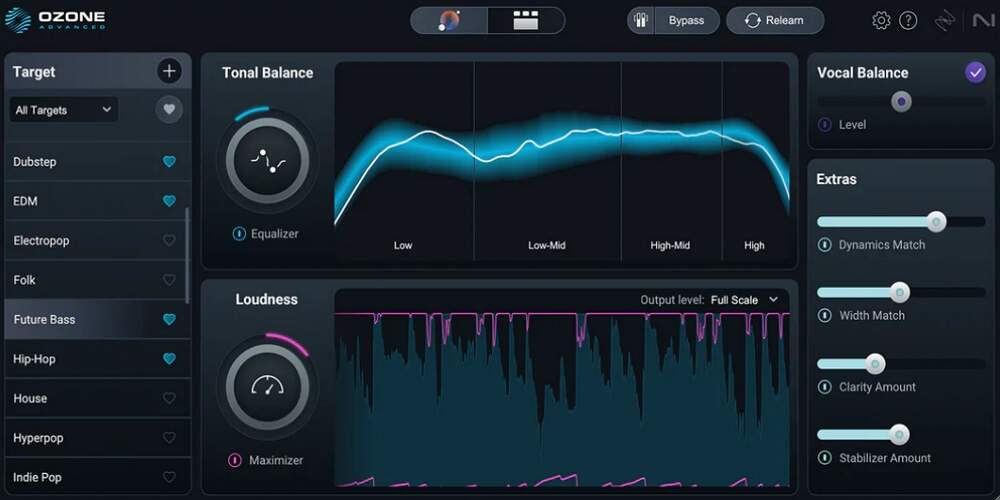
Ozone has been the default name in software mastering for nearly two decades, and Ozone 12 is the version that earns that reputation rather than coasting on it. The 12 release added three genuinely new modules (Bass Control, Stem EQ, and Unlimiter), a new IRC 5 limiting algorithm in the Maximizer, and a customizable Master Assistant flow that lets you pick genre targets, set LUFS goals, and toggle which modules the AI actually uses.
Stem EQ is the standout. It uses neural separation to EQ vocals, bass, drums, and other elements inside a stereo file without needing the original stems. If you have ever received a beat that was already smashed to zero and needed to bring a buried vocal forward, this is the module that fixes problems mastering used to send back to the mix. Unlimiter does the inverse: it restores transients lost to over-compression, which is genuinely strange to hear the first time and very useful when a client sends you a heavily limited reference bounce.
The Advanced edition gives you all 20 modules as both a “mothership” plugin and individual component plugins, plus Tonal Balance Control and Audiolens. Standard gives you 14 modules inside the mothership only. For producers mastering their own work, Standard is usually enough. For engineers mastering other peoples’ music, Advanced is the one to buy because Stem EQ, Unlimiter, and the full Stem Focus workflow live there.
Best for: producers who want a complete mastering chain in one window with the option to refine every module by hand, and engineers who regularly fix mix problems at the master stage.
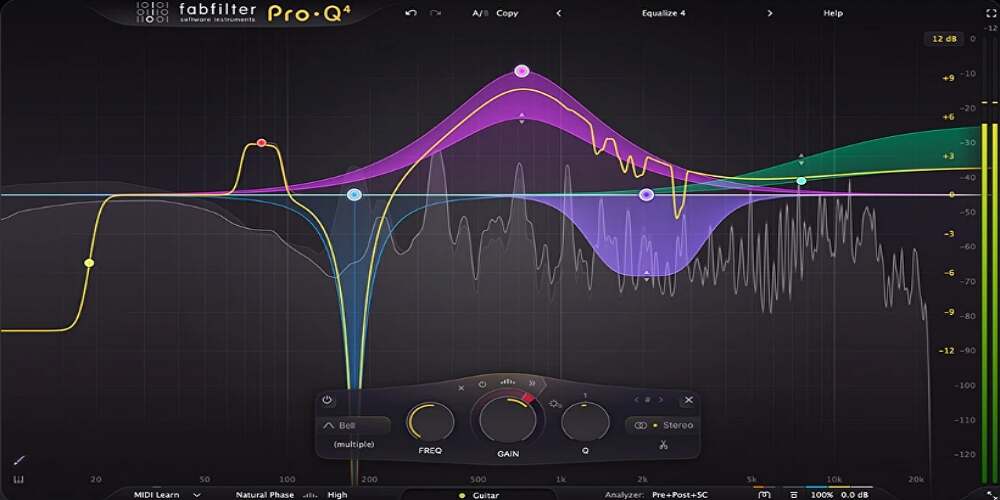
Pro-Q has been the default EQ in pro studios for years, and Pro-Q 4 (released late 2024, with regular updates through 2026) is a meaningful step up for mastering specifically. The headline addition is Spectral Dynamics, which lets you compress or expand only the frequencies inside a band that exceed a threshold, leaving everything else untouched. In practice, this is Soothe-style resonance control built directly into your EQ, which removes a plugin from a lot of chains.
The new Character modes (Gentle and Warm) add analog-style saturation per band, so you can boost the high shelf with a touch of harmonic warmth instead of the surgical transparency Pro-Q is known for. For mastering, that matters: the most common Pro-Q complaint was that boosts could feel sterile next to a Pultec emulation. Character modes effectively close that gap without forcing you to switch plugins.
Everything that made Pro-Q 3 the standard is still here: linear phase mode for mastering, per-band mid/side processing, dynamic EQ, ultra-steep filter slopes, full Dolby Atmos support up to 9.1.6, and one of the cleanest interfaces in audio software. The Instance List, added in late updates, lets you control every Pro-Q 4 in a session from a single window, which speeds up sessions where you are checking and adjusting the master EQ against bus EQs.
Best for: the EQ position in any custom mastering chain, both subtractive cleanup at the front and gentle additive shaping at the back end.
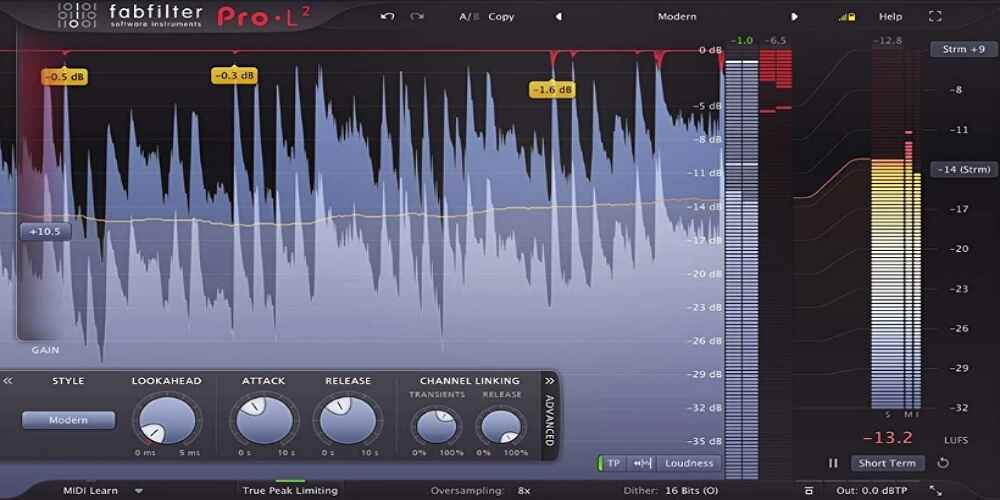
Every mastering chain ends in a limiter, and Pro-L 2 is the one most engineers reach for when they want loudness without paying for it in distortion or pumping. Eight limiting algorithms cover everything from transparent (Modern) to colored (Punchy, Aggressive), each tuned for different program material. The Transparent and Modern algorithms in particular can push a master 2-3 dB past where most limiters start to audibly compress without obvious artifacts.
What makes Pro-L 2 reliable on real masters is the inter-sample peak detection and 32x oversampling. True peak detection catches the peaks that occur between samples after lossy encoding, which means your master will not clip on Spotify or Apple Music even when your DAW meters show clean numbers. Built-in LUFS metering (short-term, integrated, and momentary) lets you hit streaming targets without bouncing to an external meter.
Attack and release controls are adjustable, which is rare on mastering limiters and useful when a master needs a slightly slower release to preserve sub-bass weight or a faster attack to catch percussive transients. A common technique that works well here: place a colored limiter or clipper before Pro-L 2 to do the heavy lifting on transients, then use Pro-L 2 for transparent peak control at the output.
Best for: the final limiting stage of any mastering chain where transparency and loudness compliance matter more than character.
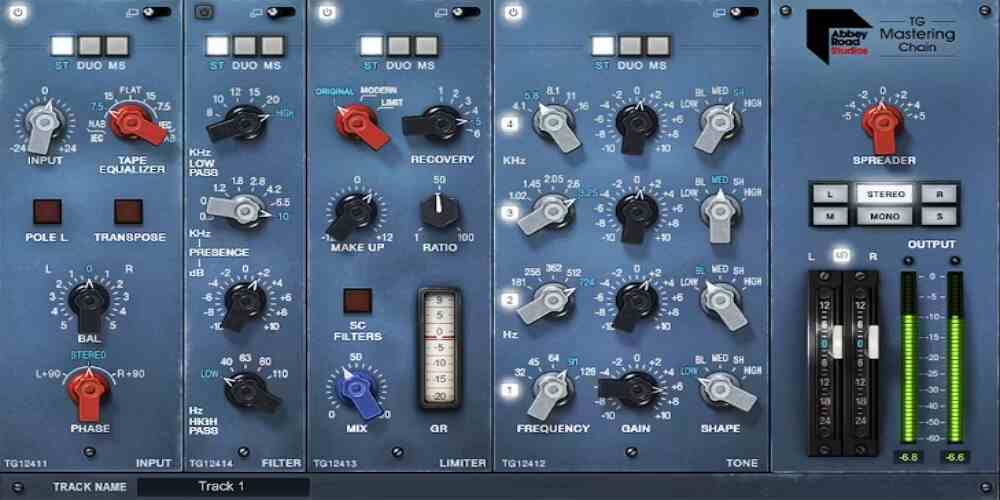
The TG Mastering Chain is a modular emulation of the EMI TG12410 Transfer Console used at Abbey Road from the 1970s onward, which is to say it is the sound of an enormous number of records you have probably heard. The plugin contains five modules (Input, Tone, Filter, Limiter, and Output/Stereo Spread) that can be reordered, and each one is modeled on a specific section of the original hardware.
The Limiter module is where most of the character lives. The Original mode emulates the Zener diode compressor from the actual hardware and delivers an aggressive, slightly dirty 1970s sound. The Modern mode is a VCA-style compressor co-designed by Waves and Abbey Road specifically for this plugin, tuned for cleaner, louder masters. Linear-phase sidechain filters with a steep 48 dB/octave slope let you shape what the compressor reacts to without coloring the output.
The stereo spread enhancer on the output module is modeled on the original EMI TG12416 and is genuinely one of the better stereo wideners in any plugin. The Tone module is a 4-band EQ with fixed frequencies and filter shapes, which sounds limiting on paper but works beautifully in practice for final tonal balancing because the frequency centers were chosen by mastering engineers who knew what mastering EQs are actually used for. Rock, pop, jazz, and acoustic genres are the obvious fit. For pristine modern electronic work, you may want something cleaner at the limiter stage.
Best for: adding analog weight and warmth to digital mixes, and for genres where character matters more than absolute transparency.
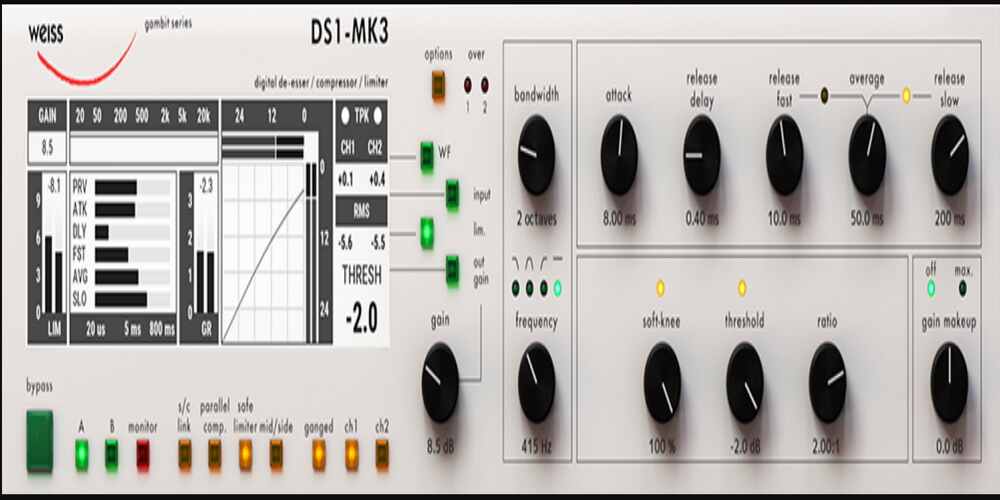
The Weiss DS1-MK3 hardware unit has been the desert-island compressor/limiter for top-tier mastering engineers for over two decades. The Softube plugin is not an emulation in the usual sense. It is a line-by-line port of the original DSP code, developed in collaboration with Daniel Weiss himself, which means it produces identical results to the hardware bit-for-bit at the same internal sample rate.
In mastering use, the DS1-MK3 doubles as a wideband compressor, a peak limiter, or both at once. Mid/side processing is per-mode, so you can compress the mid channel to bring the center forward while leaving the sides untouched, which is a very effective way to add perceived width without an actual stereo widener. The compressor produces 1-2 dB of gain reduction with a quick attack (around 20 ms) and a 40-100 ms release for a rich, full sound, and the limiter typically catches another 2-3 dB on top.
What makes this worth its price tag is what it does not do. It does not pump, it does not pull the low end forward in a way you have to correct later, and it does not add audible coloration that you then have to compensate for elsewhere in the chain. It just does the dynamic control you asked for, cleanly. If you are building a custom mastering chain and want one compressor that handles 90% of the dynamics work, this is the one.
Best for: the compression/limiting stage of a serious mastering chain, especially when you need mid/side dynamic control without artifacts.
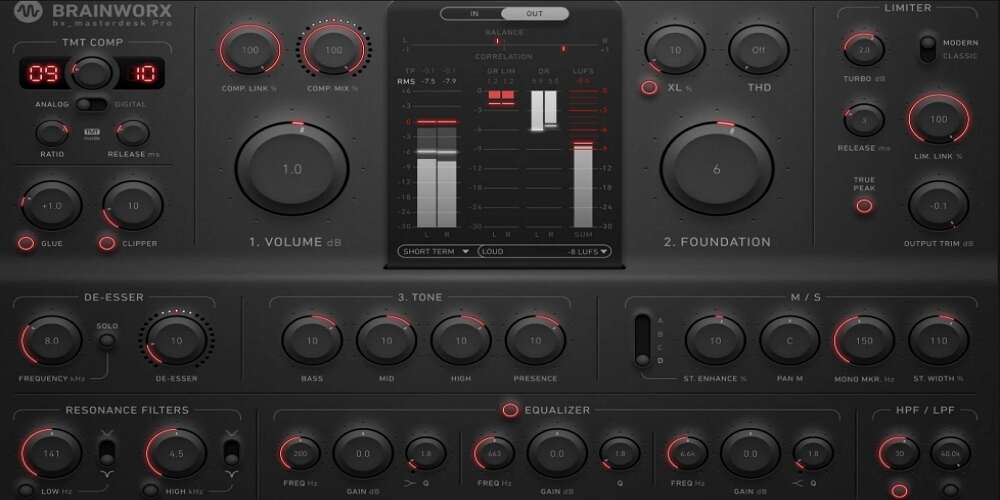
bx_masterdesk PRO sits in the gap between full suites like Ozone and single-purpose mastering plugins. It is a complete analog-modeled mastering chain in one window, with a 3-band parametric EQ, resonance filters, a glue compressor, a clipper, a wideband compressor, the XL harmonic generator, a de-esser, and a true peak limiter, all routed in a fixed signal flow tuned for mastering.
The technology that makes this more than a preset stack is Brainworx’s Tolerance Modeling Technology (TMT), which models the unit-to-unit variations of real analog components. The compressor offers 10 selectable TMT channels, each one sounding slightly different the way two units of the same hardware compressor would. The XL processor enhances third and fifth-order harmonics for the kind of weight that real mastering hardware adds, and Glue applies gentle VCA-style smoothing before the main compression stage. Clipper functions as a peak-catching stage before the limiter.
The appeal is speed. You can dial in a release-ready master in under ten minutes without the decision fatigue of a 20-module suite, and the results sound like they came off real hardware because the modeling is genuinely good. The trade-off is that the signal flow is fixed: if you want the clipper after the compressor instead of before, you cannot have it. For producers who want fast, polished, analog-sounding masters without thinking about chain order, that constraint is the feature.
Best for: producers who want a complete analog-modeled mastering chain without the complexity of a modular suite, especially on rock, pop, and indie material.
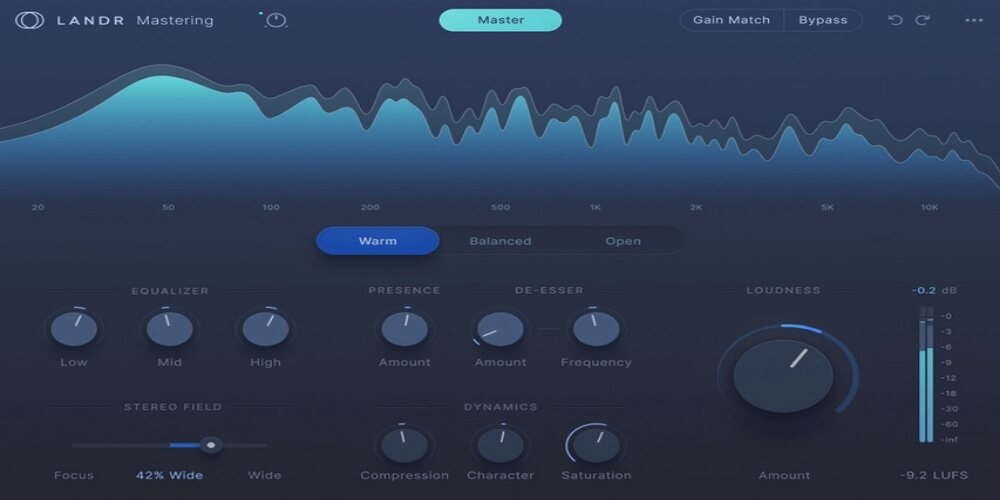
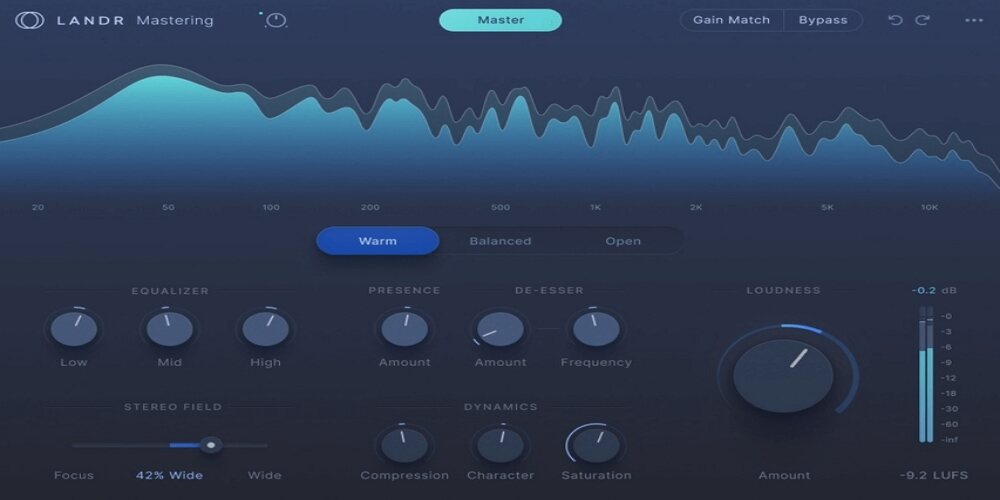
LANDR built its reputation as the cloud-based AI mastering service that producers either loved or refused to use. The Mastering Plugin Pro brings that engine into the DAW with real-time processing, which removes the slowest part of the cloud workflow (uploading, waiting, downloading) and lets you tweak the master while the mix is still in front of you.
The plugin offers three mastering styles (Warm, Balanced, Open) and full manual controls over EQ, compression, saturation, de-essing, stereo width, and loudness. You can let the AI dial in a starting point and ship it, or use it as a fast first pass that you refine by hand. The real-time visual feedback (input vs. output spectrum, LUFS meters) makes it easier to understand what the AI is actually doing, which addresses the biggest complaint about earlier AI mastering tools: that they were black boxes.
This is not a replacement for a skilled mastering engineer on a high-stakes release. It is a genuinely useful tool for demos, reference masters, EPs where budget is tight, and producers who need to send polished bounces to a client tomorrow morning. The 2026 version is meaningfully better than the original cloud-only service, particularly on loudness handling and high-end clarity.
Best for: fast reference masters, demo bounces, and producers who want AI as a starting point but want full manual control on top of it.
The Lurssen Mastering Console is modeled directly on the signal chain used at Lurssen Mastering Studios in Hollywood, the room that mastered records for Bob Dylan, Iggy Pop, Slipknot, Foo Fighters, and a long list of major releases. The plugin replicates that chain (tube and solid-state EQs, compressors, de-essers, and limiters) and ships with presets crafted by Gavin Lurssen and his team for specific genres, from EDM and hard rock to acoustic, hip-hop, and jazz.
The workflow is intentionally simplified. You pick a genre preset, then adjust intensity with the Push knob, which scales the processing across all EQ bands at once. A de-esser at the end tames any high-frequency harshness introduced by the tube limiter. There are no individual compressor or limiter settings to adjust, and the EQ bands are fixed at the frequencies the Lurssen engineers chose.
For producers who do not want to learn mastering as a craft but want masters that sound like they came from a real studio, this is the most direct path. For experienced mastering engineers, the fixed signal chain and lack of granular control will feel restrictive. The plugin sits in a specific niche: when you trust the source presets and want the results of a famous studio chain without the studio.
Best for: fast, cohesive masters where you trust genre-specific presets to do most of the work, especially on acoustic and traditional material.
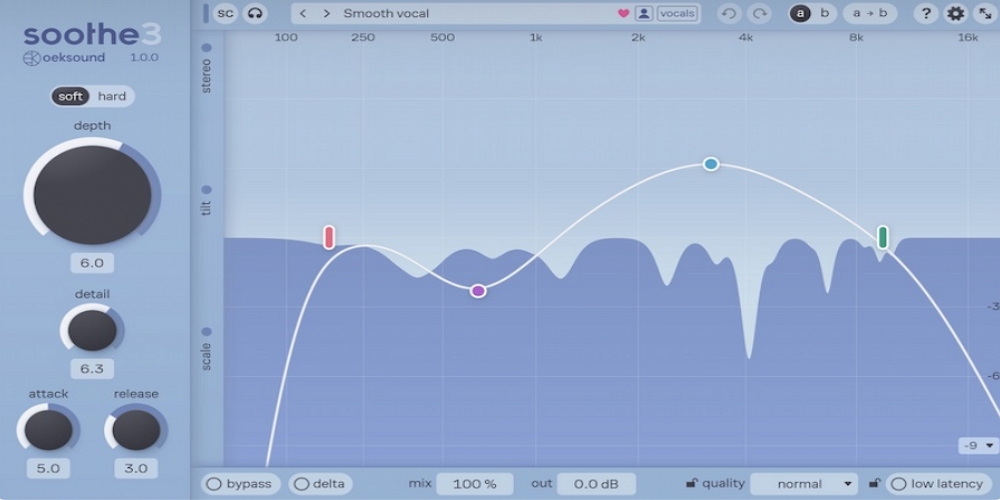
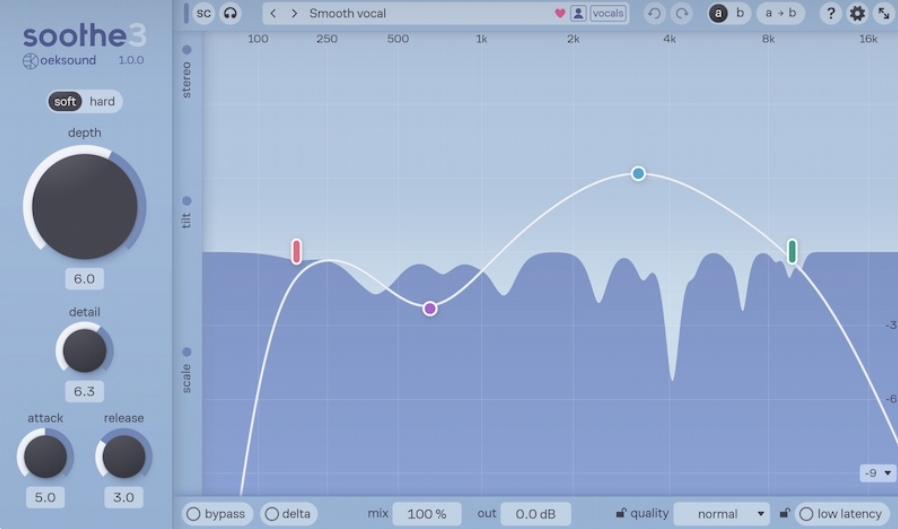
soothe2 is not technically a mastering plugin in the way Ozone or Pro-L 2 are, but it has earned a permanent slot in mastering chains for what it does: dynamically attenuate only the frequencies that exceed a threshold, in real time, with surgical precision. In mastering use, this is how engineers control sibilance, tame harsh upper-mid resonances, and clean up the top end before saturation or limiting amplifies those problems.
The key difference between soothe2 and a multi-band compressor is that soothe2 reacts only to the offending frequencies inside a band, not the whole band. If a vocal has harshness at 4.2 kHz but the rest of the 3-5 kHz range sounds great, soothe2 attenuates only 4.2 kHz when it spikes. A multi-band compressor would duck the entire 3-5 kHz region. That precision is the whole reason this plugin became a mastering staple.
Place soothe2 before any saturation stage in your chain. Saturation amplifies high-frequency content, which means anything harsh in the source becomes more harsh after the saturator. Cleaning it up first with soothe2 means you get the harmonics you want from saturation without the harshness. The Soft setting and 2x oversampling are good defaults for mastering. Note that Pro-Q 4’s new Spectral Dynamics mode does something similar and may absorb this role for some users, but soothe2 remains the more specialized tool.
Best for: taming sibilance, harsh resonances, and frequency-specific harshness anywhere in a mastering chain, especially before saturation or limiting.
The fastest way to figure out which of these belongs in your setup is to think about how you actually master. Here is the short version:
If you are building a custom chain from specialist plugins, the order matters more than the brands. Here is a reliable signal flow that works for most modern genres:
Start with a transparent EQ (Pro-Q 4) to cut sub-bass below 20 Hz, attenuate any low-mid mud, and address any problem frequencies you noticed in the mix. Use mid/side mode to high-pass the sides so the low end is mono. This is cleanup work, not tone shaping.
Place soothe2 (or Pro-Q 4 in Spectral Dynamics mode) after the EQ to tame any harsh upper-mid resonances or sibilance before any subsequent stage amplifies them. Use the Soft setting and keep the depth modest. You should hear harshness disappear without the master sounding dull.
Add character with a tape or tube saturation plugin. Multiband saturation works particularly well at this stage because it lets you saturate the low-mids for warmth without muddying the highs, and saturate the highs for air without making them harsh. Keep the drive modest. Mastering saturation should be felt, not heard.
Use a transparent compressor (Weiss DS1-MK3 is ideal here) for 1-2 dB of gain reduction to glue the master together. Quick attack (around 20 ms), medium release (40-100 ms), low ratio (1.5:1 to 2:1). This stage adds cohesion, not aggressive level control. If you need more level control, add a second compressor or use a clipper, not more compression on this stage.
Another Pro-Q 4 (or a colored EQ like a Pultec emulation) for any tone-shaping boosts. Air around 12-16 kHz, low-mid warmth around 200-400 Hz if needed, presence around 2-4 kHz for vocal genres. Keep boosts under 2 dB at this stage.
Finish with Pro-L 2 set to the Modern or Transparent algorithm, true peak detection on, oversampling at 4x or higher, and your output ceiling at -1 dBTP for streaming-safe loudness. Push the input gain until you hit your LUFS target (-14 LUFS integrated is safe for Spotify and Apple Music; -9 to -8 LUFS is competitive for club-focused electronic music but will be turned down by streaming normalization).
The 2026 version of this debate is more nuanced than it was even two years ago. AI mastering tools (Ozone’s Master Assistant, LANDR’s Pro plugin, sonible’s suite, others) have stopped being black boxes and become starting-point engines. Ozone 12’s Custom Master Assistant flow lets you tell the AI which genre target to use, which LUFS level to hit, and which modules to engage, then refine every module afterward. LANDR Pro gives you full manual access after the AI sets initial values.
What AI mastering does well: it sets reasonable starting points fast, it catches obvious tonal balance issues that less-experienced engineers might miss, and it provides a useful sanity check by analyzing your master against commercial reference targets. What it still does not do well: it cannot fix mix problems disguised as mastering problems. AI mastering tools will faithfully master a muddy low end, a harsh top end, or a narrow stereo image at a louder volume. The problem still exists, just louder.
The realistic split in 2026: use AI mastering for demos, reference bounces, and tracks where the mix is already strong. Use a manual chain (or a manual refinement of an AI starting point) for releases where the master will be on streaming platforms with millions of streams and you want every dB of competitive loudness without artifacts.
Probably yes. A limiter alone controls peaks but does not do tonal balance, dynamic control, stereo work, or saturation. A complete master chain handles all of those stages. If you are only putting a limiter on the master bus, you are leaving most of what mastering does on the table.
For producers mastering their own music in modern genres, Ozone 12 (Standard or Advanced) covers the full chain in one window and is genuinely enough. Mastering engineers and producers who want maximum control over each stage typically combine Ozone modules with specialist plugins like Pro-Q 4 for EQ and Pro-L 2 for the final limiter, because those specialist tools edge out Ozone’s built-in EQ and limiter on transparency and feature depth.
For streaming (Spotify, Apple Music, Tidal, YouTube), -14 LUFS integrated is the platform-normalized target and the safest landing zone for most genres. Going louder than that means streaming services will turn your master down, often in ways that lose more dynamics than they preserve. For club masters, audiobooks, or contexts where loudness normalization is not applied, -9 to -8 LUFS is fine. The “louder is better” era is over.
For learning and for very tight budgets, yes. TDR Nova (EQ + dynamics), LoudMax (limiter), and Brainworx’s free bx_masterdesk Classic can produce respectable masters. They lack the transparency of paid plugins when pushed hard, the workflow polish that saves time on long sessions, and features like true peak detection that are non-negotiable for streaming releases. Free chains are a good place to start. They are not where serious work stays.
Sometimes. Linear-phase EQ has no phase distortion but introduces pre-ringing (a smearing of transients before the attack) and significant CPU usage and latency. For surgical cuts in mastering and for stereo imaging work, linear phase is often the right choice. For broad boosts and tone shaping, natural or minimum phase usually sounds more musical. Pro-Q 4 lets you set per-band phase mode, which is the best of both worlds.
Mastering your own music is reasonable for self-released singles, demos, EPs on a tight budget, and any release where you want full creative control. For label releases, vinyl pressings, and high-stakes singles, a dedicated mastering engineer is still worth it because they catch the things you cannot hear after weeks of mixing the same tracks. The plugins on this list will get you to release-ready quality. They will not give you the fresh ears of an experienced engineer.
There is no single best master chain plugin, because mastering itself is not a single problem. A producer mastering twelve electronic tracks for a self-released album has different needs than an engineer mastering a singer-songwriter EP for a small label. The plugins above cover both ends of that spectrum and most of the middle.
The most defensible default in 2026 is Ozone 12 Advanced as a one-stop suite, plus Pro-Q 4 and Pro-L 2 as specialist replacements for Ozone’s EQ and limiter when you want the absolute best transparency in those positions. Add soothe2 for resonance control, and add the Waves TG Mastering Chain or Brainworx bx_masterdesk PRO when you want analog character. That is roughly the toolkit running on a large number of working mastering chains right now, and it will not feel limiting for a very long time.
Whatever combination you land on, remember that the plugins do not make the master. Your ears, your reference tracks, your monitoring environment, and your willingness to make small decisions repeatedly do. The best master chain plugins make those decisions easier and translate them more accurately. The decisions themselves are still yours.
Also Read: