 11
11
Whether you’re cooking up trap beats in FL Studio, chopping samples in Ableton, or layering lo-fi textures in Logic Pro, the laptop you choose shapes every session. Beat making is a different discipline from general music production — you’re working almost entirely in the box, stacking soft synths like Serum and Omnisphere, loading sample packs from Splice, and programming patterns through a MIDI controller. That workflow puts unique demands on your hardware.
After researching current benchmarks, real-world DAW performance tests, and feedback from producer communities, we’ve identified the eight best laptops for beat making in 2026. Every pick is evaluated through the lens of what beat makers actually need: CPU horsepower for VST-heavy sessions, enough RAM to keep large sample libraries loaded, fast storage for instant patch recall, and practical features like USB-A ports for MIDI controllers and silent fans for late-night sessions.
Beat making is CPU-intensive, RAM-hungry, and storage-demanding. Here are the specs that matter most, ranked by their impact on your production workflow.
| Laptop | Price (Sale) | RAM | Screen | Best For |
| MacBook Pro 14″ M4 Pro | $1,799+ | 24–48 GB | 14.2″ 120 Hz | Best overall |
| MacBook Air 13″ M4 | $799+ | 16–32 GB | 13.6″ | Best budget |
| ASUS ProArt P16 | $1,799+ | 32–64 GB | 16″ OLED | Best Windows |
| MacBook Air 15″ M4 | $1,079+ | 16–32 GB | 15.3″ | Best portable |
| ASUS ROG Zephyrus G16 | $1,899+ | 16–64 GB | 16″ OLED | Best for FL Studio |
| MacBook Pro 16″ M4 Pro | $2,229+ | 24–48 GB | 16.2″ 120 Hz | Best for Ableton |
| Surface Pro 11 | $986+ | 16–32 GB | 13″ Touch | Best 2-in-1 |
| MacBook Air 15″ M4 (24 GB) | $1,299 | 24 GB | 15.3″ | Best value |
The MacBook Pro 14-inch with the M4 Pro chip is the benchmark for beat making laptops. Its 12-core or 14-core processor handles hundreds of tracks with heavy plugin loads without dropouts, and macOS Core Audio delivers roughly 2.3 ms average latency out of the box — no ASIO driver configuration required. The 14.2-inch Liquid Retina XDR display runs at 120 Hz with ProMotion, making DAW scrolling buttery smooth, and three Thunderbolt 5 ports future-proof your audio interface connectivity.
For beat makers running 15–20 instances of Serum alongside Omnisphere pads and a full effects chain, this laptop simply does not flinch. Battery life stretches to 12–15 hours of real-world production, meaning you can produce an entire session without hunting for an outlet. The high-impedance headphone jack also drives studio cans like the Beyerdynamic DT 990 Pro (250 ohm) directly, which is a thoughtful touch for producers mixing on headphones.
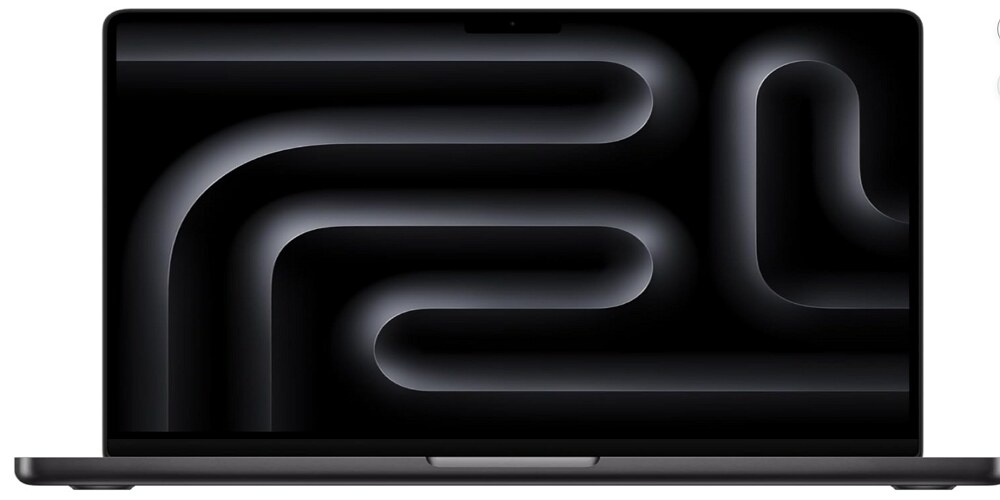
Key specs: M4 Pro (12- or 14-core) | 24–48 GB unified memory | 512 GB–4 TB SSD | 14.2″ 120 Hz | 3 Thunderbolt 5 + HDMI + SD | 3.5 lbs | Up to 22 hours battery
Price: Starts at $1,999; frequently found around $1,799 on sale at Amazon and B&H Photo.
Keep in mind: No USB-A ports (you’ll need a hub for older MIDI controllers). RAM and storage are not upgradeable, so configure wisely at purchase.
At $799 on sale, the MacBook Air 13-inch M4 is the most affordable path to professional-grade beat making. The M4 chip is more powerful than the M2 Pro was, comfortably handling 30–50 track sessions with multiple VST instances. Its killer feature for beat makers is the completely fanless design — zero noise, ever. If you record vocals in the same room as your laptop, that silence is invaluable.
At just 2.7 pounds, this is the lightest viable beat making machine on the market. Battery life reaches 15–18 hours in practice, so you can produce all day without a charger. The 13.6-inch screen is the main compromise — FL Studio’s multi-window layout feels cramped at this size, though Ableton’s single-window design works well. The sweet spot configuration for beat makers is 24 GB RAM with 512 GB storage, which typically runs around $1,149–$1,299 on sale.
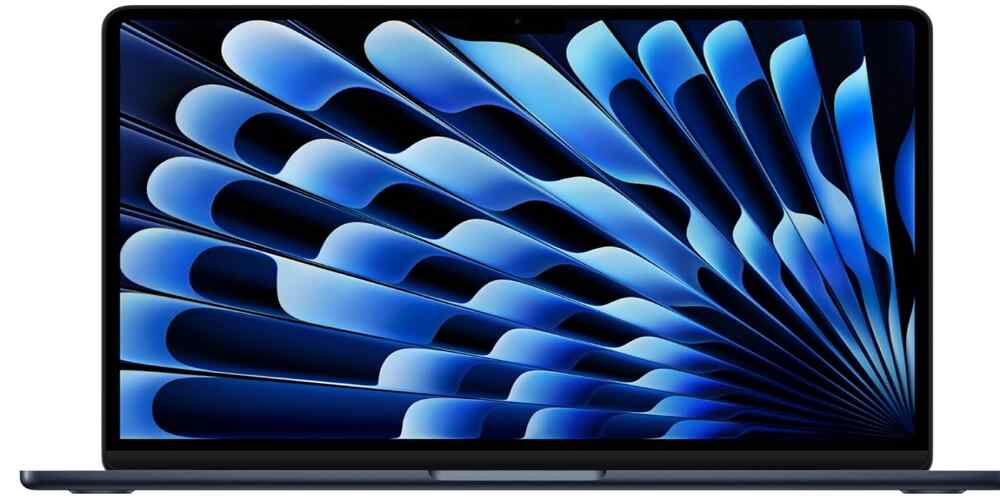
Key specs: M4 (10-core) | 16–32 GB unified memory | 256 GB–2 TB SSD | 13.6″ | 2 Thunderbolt 4 | 2.7 lbs | Fanless | Up to 18 hours battery
Price: Starts at $999; regularly available at $799 at Amazon.
Keep in mind: Only two USB-C ports. Thermal throttling can occur after 45 minutes of sustained heavy loads (a 15–20% performance dip). Avoid the 256 GB base storage — it fills up fast with sample libraries.
The ProArt P16 is the most capable Windows alternative to a MacBook Pro, powered by an AMD Ryzen AI 9 HX 370 processor with 12 cores and 24 threads. In music production stress tests, it handled 400 tracks with 2,000 plugin instances before maxing out — a staggering result that exceeds anything most beat makers will ever need.
What sets the ProArt P16 apart for beat makers is a feature no other laptop offers: the ASUS DialPad. This capacitive rotary control built into the trackpad can be mapped to DAW parameters like filter cutoff, volume, or tempo — genuinely useful for producers who want tactile control without reaching for external hardware. The laptop also includes two USB-A ports, solving the MIDI controller dongle problem that plagues MacBook users. The 16-inch 4K OLED touchscreen is gorgeous for long sessions, and a second M.2 slot lets you expand storage as your sample library grows.
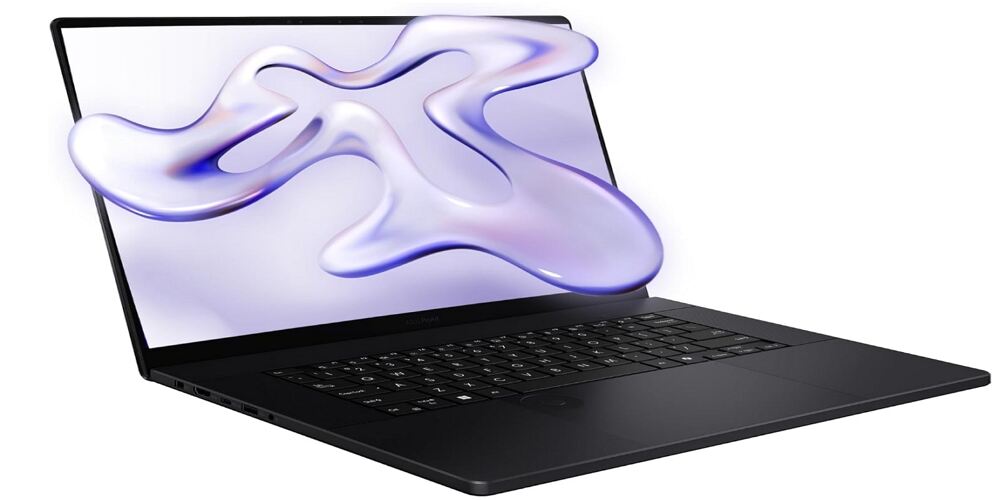
Key specs: AMD Ryzen AI 9 HX 370 (12-core) | 32–64 GB LPDDR5X | 1–2 TB NVMe | 16″ 4K OLED | 2 USB-A + USB 4 + USB-C + HDMI + SD | 4.1 lbs | Up to 10 hours battery
Price: Starts at $2,499; previous-generation RTX 4060 configurations available from $1,799.
Keep in mind: Requires ASIO driver setup for low-latency audio on Windows. Fans can get loud under heavy load (up to 56 dB). Battery life is shorter than MacBooks at roughly 5–6 hours for production work.
The 15-inch MacBook Air M4 is the Goldilocks choice for beat makers who need a screen large enough for serious DAW work but a chassis light enough to carry everywhere. At 3.3 pounds and completely fanless, it delivers the same M4 chip performance as the 13-inch Air but on a 15.3-inch Liquid Retina display that finally gives FL Studio’s multi-window layout room to breathe.
In production testing, the M4 Air handled over 200 tracks with more than 1,000 plugin instances at 50% CPU — far more headroom than the vast majority of beat makers will ever touch. A major upgrade on this model is dual external monitor support with the lid open, which is a first for the Air line. That means you can run your Piano Roll on one screen and your Mixer on another at home, then fold the laptop shut and take it to the studio. Battery life matches the 13-inch model at up to 18 hours.
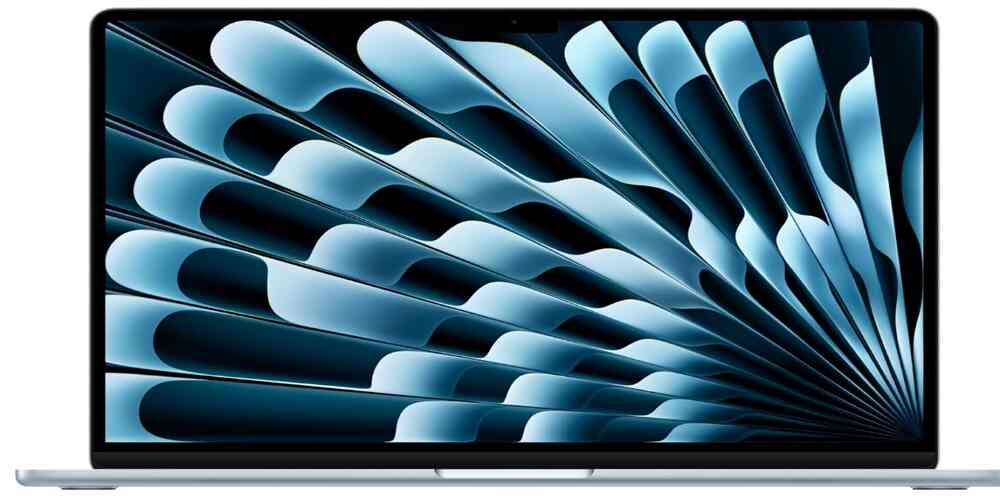
Key specs: M4 (10-core) | 16–32 GB unified memory | 256 GB–2 TB SSD | 15.3″ | 2 Thunderbolt 4 | 3.3 lbs | Fanless | Up to 18 hours battery
Price: Starts at $1,199; frequently available around $1,079 at Amazon.
Keep in mind: Still only two USB-C ports. No HDMI or SD card slot. The 60 Hz display is perfectly fine for production but lacks the smoothness of ProMotion on the Pro models.
FL Studio has historically been a Windows-first DAW, and its audio engine is bottlenecked by single-thread CPU performance more than almost any other workstation software. The ROG Zephyrus G16’s Intel Core Ultra 9 285H boosts to over 5.0 GHz on single threads, making it an ideal match for FL Studio’s architecture. For trap producers running heavy 808 processing chains with multiple instances of Soundtoys, RC-20, and CamelCrusher, this laptop has headroom to spare.
The 16-inch 2.5K OLED display is another major advantage for FL Studio users. The DAW’s detached window system — Channel Rack, Playlist, Piano Roll, and Mixer as separate floating windows — demands screen real estate, and 16 inches at 2560 x 1600 lets you view them all simultaneously without constant resizing. Two USB-A ports handle MIDI controllers directly, and the discrete NVIDIA GPU makes this a dual-purpose machine for producers who also create YouTube content or game between sessions.
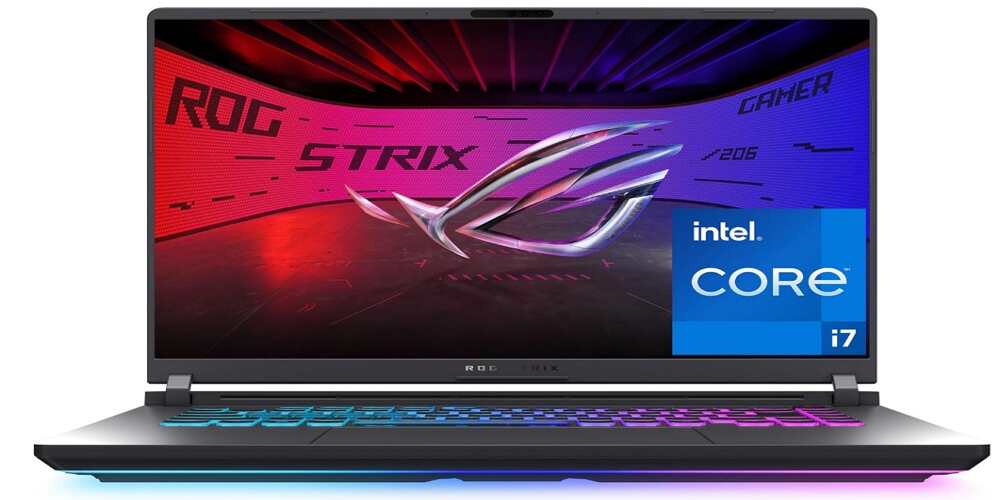
Key specs: Intel Core Ultra 9 285H (16-core) | 16–64 GB LPDDR5X | 1–2 TB NVMe | 16″ OLED 240 Hz | 2 USB-A + USB 4 + USB-C + HDMI | 4.3 lbs | Up to 8 hours battery
Price: Starts at $1,899.
Keep in mind: Requires ASIO drivers on Windows. The discrete GPU adds cost and weight that pure beat makers won’t use in a DAW. Battery life is moderate at 6–8 hours for creative work.
Ableton Live distributes tracks across available performance cores, making the M4 Pro’s 10 performance cores a perfect match for its parallel processing architecture. The 16.2-inch Liquid Retina XDR display is the largest and sharpest screen on this list, and Ableton’s Session View shows more clips while Arrangement View shows more bars of your timeline without scrolling. The 120 Hz ProMotion refresh rate makes navigating large arrangements feel fluid and responsive.
For producers who perform live sets, jam in Session View, or use Push 3 as their primary instrument, this is the definitive choice. Thunderbolt 5 ports deliver the lowest possible latency with compatible audio interfaces, and the high-impedance headphone jack handles studio headphones without a separate amp. Battery life reaches 15–17 hours of real-world production — enough for a full day of creating and performing without needing a charger.

Key specs: M4 Pro (14-core) | 24–48 GB unified memory | 512 GB–8 TB SSD | 16.2″ 120 Hz | 3 Thunderbolt 5 + HDMI + SD | 4.7 lbs | Up to 24 hours battery
Price: Starts at $2,499; available around $2,229 on sale.
Keep in mind: At 4.7 pounds, this is the heaviest laptop on our list. The premium price may be hard to justify if you don’t need the 16-inch screen. No USB-A ports.
The Surface Pro 11 fills a unique niche for beat makers who want to sketch ideas on a tablet during commutes and then refine them on a proper setup at home. At under 2 pounds in tablet form, it is by far the most portable option here. The touchscreen opens creative possibilities that traditional laptops cannot offer, and two USB-A ports make connecting MIDI controllers effortless — a rare advantage on ultraportable devices.
The Qualcomm Snapdragon X Elite chip delivers solid performance for lighter beat making workflows, and the ARM architecture means excellent battery life and near-silent operation. However, producers need to be aware of a critical caveat: the ARM processor runs x86 Windows apps through Microsoft’s Prism emulation layer. FL Studio and Ableton Live function, but some third-party VST plugins may have compatibility issues. Verify that your essential plugins work on ARM before purchasing. For producers using lighter DAWs like the free MPC Beats or Ableton Live Lite with stock plugins, the Surface Pro 11 is genuinely capable.
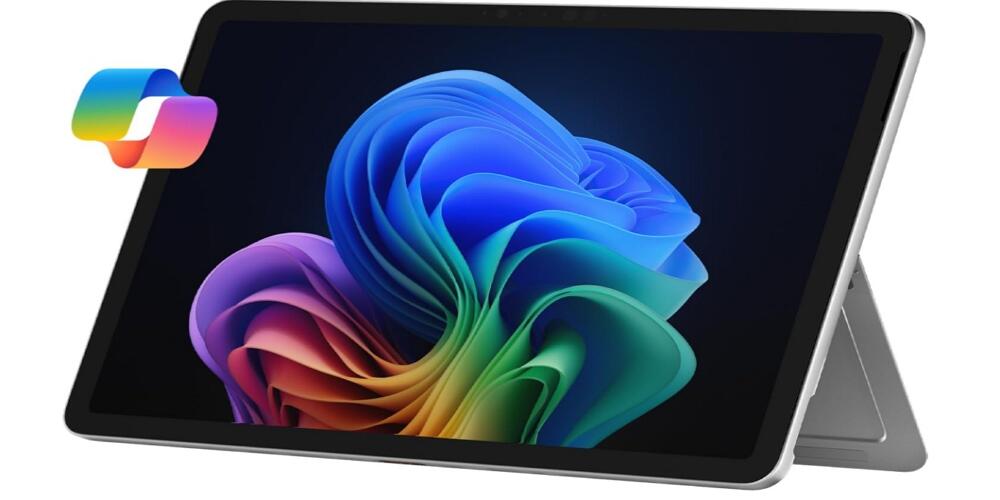
Key specs: Snapdragon X Plus/Elite | 16–32 GB | 256 GB–1 TB removable SSD | 13″ touchscreen 120 Hz | 2 USB-A + USB 4 | 2.0 lbs (tablet) | Up to 14 hours battery
Price: Starts at $1,199; frequently discounted 20–38% at Amazon. X Elite configurations have been spotted around $986.
Keep in mind: ARM plugin compatibility is not guaranteed for all VSTs. Keyboard is sold separately ($130–$280). Not recommended as a primary machine for heavy plugin users.
This specific configuration of the 15-inch Air deserves its own spot because it represents the single best dollar-for-dollar beat making machine available. The jump from 16 GB to 24 GB of RAM is the most impactful upgrade for beat makers — it is the difference between running three instances of Omnisphere and running eight. At $1,299 on sale, you get the 15.3-inch screen for comfortable DAW layouts, fanless operation, all-day battery, and enough power to handle 85% of professional production tasks.
You are not paying for a discrete GPU you will never use in a DAW, nor for ProMotion refresh rates that do not affect audio work. The 512 GB storage fits a DAW installation plus Omnisphere’s core library plus a selection of Kontakt instruments, with room for your project files. If your budget is in the $1,200–$1,500 range, this configuration delivers more beat making capability per dollar than anything else on the market.
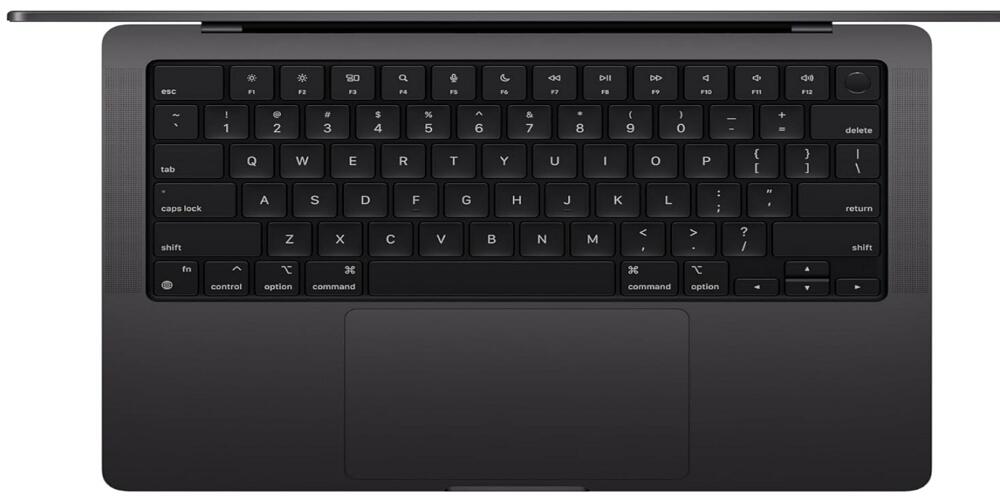
Key specs: M4 (10-core) | 24 GB unified memory | 512 GB SSD | 15.3″ | 2 Thunderbolt 4 | 3.3 lbs | Fanless | Up to 18 hours battery
Price: $1,499 MSRP; available around $1,299 at Amazon.
RAM is the second most important spec for beat makers after CPU speed. Here is a practical breakdown of what different RAM tiers let you do in a real session.
| RAM | What You Can Run |
| 8 GB | DAW + OS + 2–3 lightweight plugins. Struggles with Omnisphere. Not recommended for 2026. |
| 16 GB | DAW + 3–5 instances of Serum or Omnisphere + moderate Kontakt usage + 20–40 tracks with effects. Practical minimum. |
| 24 GB | DAW + 6–8 heavy VST instances + larger Kontakt libraries + 40–60 tracks. The sweet spot for most beat makers. |
| 32 GB | DAW + heavy plugin loads + multiple large Kontakt libraries + 50–100 tracks. Professional headroom for any beat making scenario. |
| 64 GB | Overkill for beat making. Useful for film scoring or running virtual machines alongside your DAW. |
This is one of the most debated questions in producer communities, and the honest answer is that both platforms are fully capable. The differences come down to workflow preferences and practical trade-offs.
Bottom line: if low-latency audio, battery life, and silent operation are your priorities, Mac wins. If you want USB-A ports, upgradeable storage, and a wider range of hardware choices at lower prices, Windows is the better path.
Your choice of DAW determines the baseline specs your laptop needs. Here are the current recommended requirements for the most popular beat making software.
One of the most overlooked factors when choosing a beat making laptop is how you will connect your MIDI controller. The USB-A to USB-C transition is still underway in 2026. Newer controllers like the Arturia MiniLab 3 and NI Komplete Kontrol S49 MK3 ship with USB-C cables, but many of the most popular beat making controllers — including older revisions of the Akai MPK Mini, the Novation Launchkey series, and various pad controllers — still require USB-A.
All MacBooks currently lack USB-A ports entirely, meaning you will need a USB-C hub or adapter. This is a minor expense ($15–$30) but adds one more item to your mobile setup. The ASUS ProArt P16, ROG Zephyrus G16, and Microsoft Surface Pro 11 all include USB-A ports natively, which is a practical advantage for beat makers with existing USB-A gear.
Start with the MacBook Air 13-inch M4 at $799 on sale. It handles FL Studio, Ableton Live Lite, GarageBand, and MPC Beats without issue. Pair it with a USB-C hub and an affordable audio interface like the Focusrite Scarlett Solo, and you have a complete beat making rig for under $1,000 total.
The MacBook Air 15-inch M4 with 24 GB RAM and 512 GB storage at $1,299 is the best value in this range. It gives you a screen large enough for professional DAW layouts, enough RAM for complex sessions, and all-day battery life.
The MacBook Pro 14-inch M4 Pro is the go-to if you want Mac. The ASUS ProArt P16 is the answer if you want Windows with its DialPad and USB-A ports. Either machine will last five or more years before you feel the need to upgrade.
The ASUS ROG Zephyrus G16 is the ideal dual-purpose machine. Its high single-core clock speed is what FL Studio craves, and the NVIDIA GPU handles video editing and gaming when you step away from the DAW.
The laptop you choose should match how you actually make beats. If you produce in coffee shops and on flights, prioritize battery life and weight — the MacBook Air models dominate here. If you run massive sessions with dozens of VST instances, invest in the CPU and RAM of a MacBook Pro or ASUS ProArt P16. If you are an FL Studio loyalist on Windows, the ROG Zephyrus G16’s single-core speed and OLED screen are tailor-made for your workflow.
No matter which laptop you choose, the two specs that matter most are CPU single-core speed and RAM. Get at least 16 GB of RAM (24 GB is the sweet spot), pair it with an NVMe SSD of 512 GB or larger, and you will have a machine that keeps up with your creativity for years to come.
Other Related Buyer Guides